
OpenRouter Video Generation API: A Code-First Guide
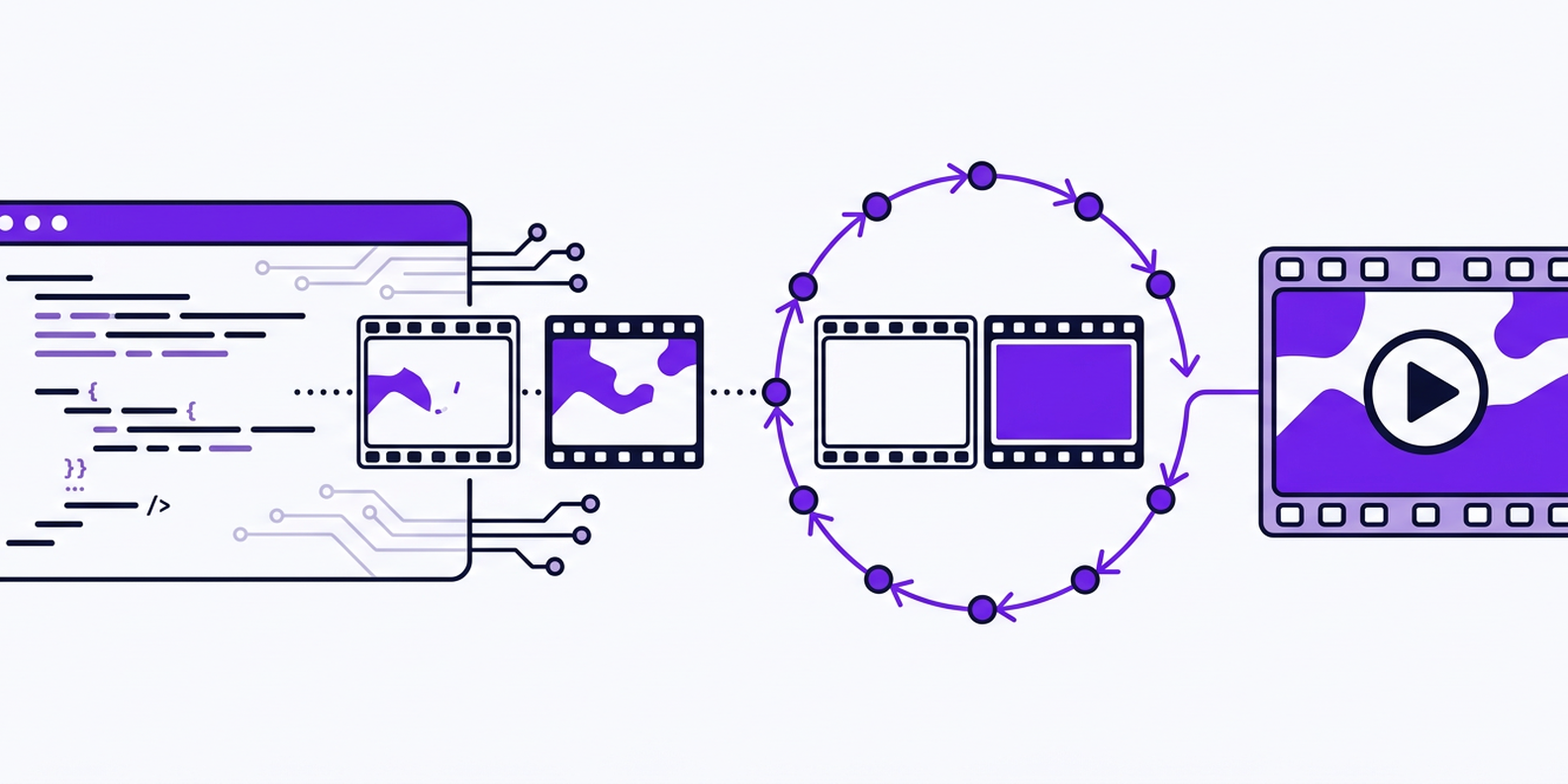
OpenRouter Video Generation API: Core Concepts and a Unified AI API Approach
The OpenRouter video generation API is often discussed as if it were a single, magic endpoint for every video model. In reality, video generation through API gateways is more nuanced. OpenRouter earned its reputation as a unified router for large language models, but video workloads require asynchronous job handling, large output files, and provider-specific parameters. As a developer, you may find yourself searching for an OpenRouter alternative when your pipeline needs reliable multimodal support. In this deep dive, I’ll explain what video generation APIs actually involve, why a unified AI API like CCAPI can be a better fit for production systems, and how to build a code-first workflow that scales.
What Is OpenRouter’s Video Generation API?
At a high level, an API for video generation accepts a text prompt or an input image and returns a generated video clip. The core use cases include short-form social content, advertising storyboards, game cinematics, and rapid prototyping. The OpenRouter video generation API, in the common developer narrative, refers to using OpenRouter as a gateway to video models from multiple providers instead of calling each vendor directly. But OpenRouter’s primary focus has historically been LLM inference. Video generation is a different beast: requests take seconds or minutes, responses are large media files, and each provider has its own model name, request structure, and pricing model.
This is why the phrase “OpenRouter video generation API” often appears alongside searches for an OpenRouter alternative. Developers want the convenience of a single API key and one billing relationship, but they also need the reliability and multimodal coverage that video generation demands. A unified AI API gateway like CCAPI fills that niche by supporting text, image, audio, and video generation from multiple providers, all behind one integration point. If you have ever tried to wire up Vidu for one project, Seedance for another, and OpenAI’s Sora for a third, you already know how quickly that approach becomes painful.
Why Developers Search for an OpenRouter Alternative for Video Generation
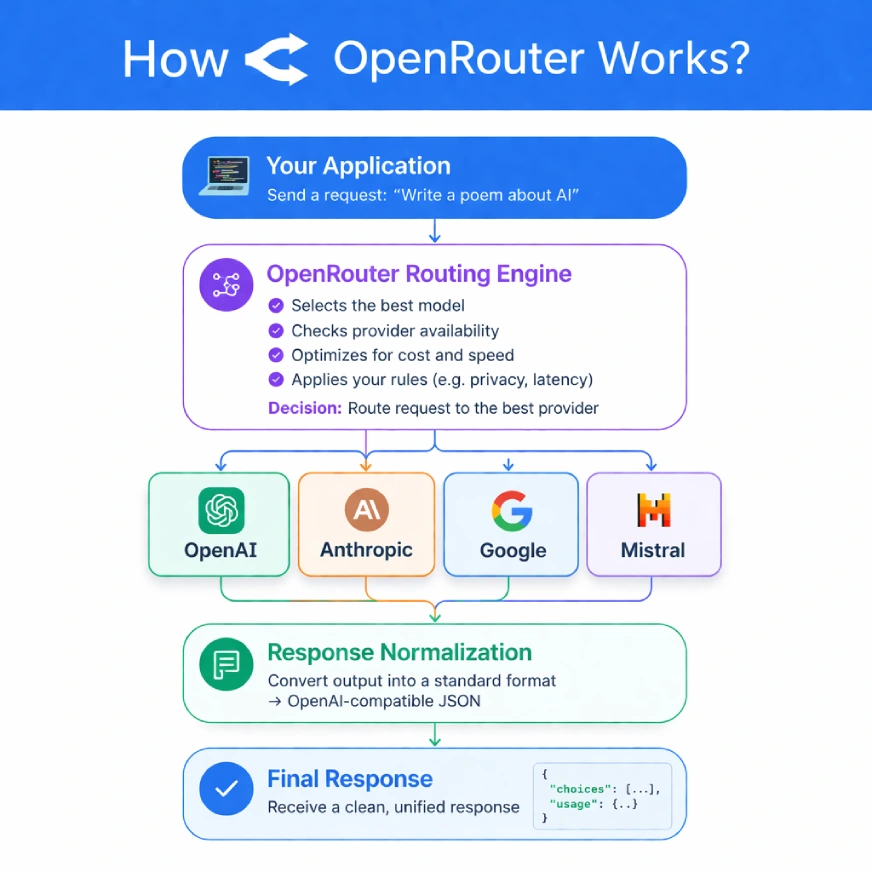
The Problem with Fragmented AI Providers

Managing multiple AI providers is exhausting. Each vendor has its own API key, its own rate limits, its own billing dashboard, and its own subtle quirks. If your application uses a text model from Anthropic, an image model from OpenAI, and a video model from MiniMax, you are maintaining three different client libraries and three different error-handling layers. Adding a new model means writing a new integration, even if the feature is only a small change.
Vendor lock-in makes this worse. Once your codebase is tightly coupled to a single provider’s API format, switching costs go up. You might be tempted to ignore a better video model because your existing integration is “good enough.” In practice, this is exactly why teams search for an OpenRouter alternative: they want a common API format for all models, not a collection of glue code.
OpenRouter Alternative: Comparing API Gateways for Multimodal Content
When evaluating an OpenRouter alternative, the key question is whether the gateway treats video as a first-class citizen. CCAPI is designed as a multimodal AI API, not just an LLM router. It provides a unified interface for text generation, image generation, image upscale, audio generation, and text-to-video. Instead of stitching together separate SDKs, you call one API and choose a model by name.
This approach has real advantages. You get transparent pricing per request, no surprise fees, and the freedom to switch from Vidu to Seedance or from MiniMax to another provider by editing a request field. That flexibility is the main reason developers migrate from direct provider APIs to a unified gateway. It is also why a growing number of teams consider CCAPI a strong OpenRouter alternative for video generation.
Before You Code: Prerequisites for Video Generation API Integration
Getting API Keys and Authentication
Before you can send your first video generation request, you need an API key from your gateway of choice. Whether you use OpenRouter or CCAPI, the authentication pattern is the same: include the key in an Authorization header as a bearer token.
import os

api_key = os.environ["VIDEO_API_KEY"]
headers = {
    "Authorization": f"Bearer {api_key}",
    "Content-Type": "application/json",
}
Never hard-code API keys in source control. Use environment variables or a secret manager. If you are using CCAPI, you can generate a token from the console and store it in your environment. The console token page provides a straightforward way to manage keys with expiration dates and scopes.
Choosing the Right AI Model for Video Generation
The video model you choose has a huge impact on cost, output quality, and generation time. Some models excel at photorealism, while others are better for stylized animation. OpenAI’s Sora, Google’s Veo, and open alternatives like HunyuanVideo all have different strengths. Anthropic’s Claude models, while not video generators themselves, are excellent for turning rough ideas into detailed prompts. When you access models through a unified AI API, you can A/B test them without rewriting your integration layer.
For example, CCAPI gives you access to a broad catalog of models, including reasoning models like DeepSeek API, long-context assistants like Kimi API, and chat models like GLM API and Qwen API. On the video side, you can call text-to-video models such as Vidu, Seedance, and MiniMax, as well as image generation APIs like GPT Image, Seedream, Midjourney API, and even Google’s Nano Banana image editing model. You can also use Suno API for music and audio generation, plus image upscale endpoints. Having all of these behind one API makes model selection a configuration decision rather than a development project.
Building a Code-First Video Generation API Workflow
Constructing the Video Generation API Request Body
Most video generation APIs accept a similar set of parameters. At minimum, you need a model, a prompt, and a duration. Beyond that, you can specify resolution, aspect ratio, output format, and optional inputs like an initial image for image-to-video generation.
Here is a representative request payload in Python:
payload = {
    "model": "vidu",
    "prompt": "A cinematic aerial shot of a futuristic city at sunset",
    "resolution": "720p",
    "duration": 5,
    "aspect_ratio": "16:9",
    "output_format": "mp4",
}
If you are doing image-to-video, add an image_url field pointing to the source image. Some providers also support negative_prompt, fps, and motion_strength. A good rule of thumb is to start conservative: a five-second, 720p clip is much faster and cheaper than a ten-second, 1080p clip. You can increase quality once you know the prompt works.
Sending Video Generation Requests from Python and Node.js
Once the payload is defined, the HTTP call is straightforward. Here is a minimal Python example using requests:
import os
import requests

api_key = os.environ["VIDEO_API_KEY"]
base_url = os.environ["VIDEO_API_BASE_URL"]

payload = {
    "model": "seedance",
    "prompt": "A robot painting a mural on a brick wall",
    "resolution": "720p",
    "duration": 5,
}

response = requests.post(
    f"{base_url}/v1/video/generations",
    json=payload,
    headers={
        "Authorization": f"Bearer {api_key}",
        "Content-Type": "application/json",
    },
)
response.raise_for_status()
data = response.json()
print(data["id"])
The same flow works in Node.js:
const response = await fetch(`${process.env.VIDEO_API_BASE_URL}/v1/video/generations`, {
  method: "POST",
  headers: {
    "Authorization": `Bearer ${process.env.VIDEO_API_KEY}`,
    "Content-Type": "application/json",
  },
  body: JSON.stringify({
    model: "minimax",
    prompt: "A calm ocean wave turning into glass",
    resolution: "720p",
    duration: 5,
  }),
});

const data = await response.json();
console.log(data.id);
Notice that nothing in this code is tied to a specific provider. With a unified AI API, you can change "model" from "seedance" to "vidu" and the rest of the request remains identical. That is the practical meaning of an OpenRouter alternative: code once, target many providers.
Polling, Async Jobs, and Webhook Callbacks
Video generation is not as fast as an LLM call. A five-second clip can take 30 seconds or more to generate. Most APIs return a job ID immediately and process the generation asynchronously. You then need to check the job status until it completes.
Here is a simple polling loop in Python:
import time

def wait_for_video(job_id):
    while True:
        res = requests.get(
            f"{base_url}/v1/video/generations/{job_id}",
            headers=headers,
        )
        data = res.json()
        if data["status"] == "succeeded":
            return data["outputs"]
        if data["status"] == "failed":
            raise RuntimeError(data.get("error"))
        time.sleep(5)
Polling works, but it wastes requests and adds latency. For production workloads, webhooks are the better choice. Register a callback URL and the API will send a POST request when the generation finishes. This is especially important if you are generating videos in bulk or on a user-facing content pipeline.
Handling Errors and Rate Limits
You will hit errors. Rate limit errors, invalid prompts, provider outages, and transient network failures are all part of the game. A robust client should implement retry logic with exponential backoff, but only retry on retriable status codes like 429 and 502. More importantly, you need a fallback strategy. If one provider is down, a unified AI API can route your request to another model automatically. This is a major advantage of an OpenRouter alternative that supports multiple video providers.
Deep Dive: Video Generation API Parameters and Outputs
Understanding Resolution, Duration, and Format Settings
The parameters you choose affect more than just visual quality. Higher resolution and longer duration increase cost and generation time. A 720p clip at five seconds is often a reasonable default for social media. If you need vertical video, set aspect_ratio to "9:16". For presentations or reports, "16:9" works better.
fps is another important parameter. Most models default to 24 or 30 fps. For fast action, 30 fps is smoother; for stylized content, 24 fps gives a more cinematic feel. Some providers accept output_format values like mp4 or webm. If you need transparent backgrounds, check whether the model supports webm or png sequences.
Interpreting Response Payloads and Media URLs
A typical success response looks something like this:
{
  "id": "gen_12345",
  "status": "succeeded",
  "outputs": [
    {
      "url": "https://storage.example.com/generated/video.mp4",
      "duration": 5,
      "resolution": "720p"
    }
  ],
  "usage": {
    "seconds": 5,
    "cost_usd": 0.15
  }
}
The media URL is usually temporary and may require a signed query string. In a production system, download the file as soon as you receive the webhook and store it in your own object storage. Do not assume the URL will remain valid for days.
OpenRouter vs CCAPI: A Practical Comparison
Feature-by-Feature Breakdown
The table below summarizes the key differences between using OpenRouter and using a unified multimodal gateway like CCAPI for video generation:
| Feature | OpenRouter | CCAPI |
|---|---|---|
| Primary focus | LLM routing | Multimodal AI API |
| Video model coverage | Limited or model-dependent | Broad, including Vidu, Seedance, MiniMax |
| Multimodal support | Mostly text, some image | Text, image, audio, video, image upscale |
| Pricing transparency | Varies by provider, markup can be opaque | Unified billing with clear per-request cost |
| Rate limits | Per-provider, aggregated | Flexible limits with fallback routing |
| Integration complexity | One API for LLMs | One API for all content types |
Pricing, Latency, and Model Availability
Pricing is the hardest part of comparing gateways. Direct provider APIs usually have the lowest per-request cost, but you pay in engineering time and operational complexity. OpenRouter marks up provider prices and gives you one invoice. CCAPI takes a similar approach but focuses on transparent pricing and includes video generation as a core offering. The hidden cost of vendor lock-in is often larger than the markup. If your application depends on a single model’s quirks, migrating to a better model requires more than changing prices.
When to Use OpenRouter and When to Use a Unified AI API
OpenRouter remains a solid choice for teams that mostly need LLM routing and want access to many text models. But if your workflow includes video generation, image generation, or audio generation, a multimodal gateway is more practical. CCAPI is a credible OpenRouter alternative for teams that want one API key for everything, unified billing, and no vendor lock-in. You can review the pricing page to see how costs compare across models.
Real-World Implementation: Lessons from Production
Common Pitfalls and How to Avoid Them
In practice, most integration failures fall into a few categories. The first is timeouts. HTTP clients often have a default timeout of a few seconds, which is far too short for a video generation request. Always use a longer timeout or, better, switch to an asynchronous pattern with polling or webhooks.
The second is silent failures. A provider might return a status of succeeded even when the output video is corrupted or empty. Check the file size and duration before treating the job as successful.
The third is provider outages. Video models are resource-intensive, and outages happen more than you would expect. A unified AI API can mitigate this with automatic fallback to another provider. If you are building on a single vendor, you need to implement that fallback yourself.
Performance Benchmarks and Cost Considerations
When benchmarking video generation APIs, track the metrics that matter: time to first frame, end-to-end generation time, cost per video, and success rate. Time to first frame is important if you are streaming partial results. End-to-end time matters for user experience. Cost per video is the metric that keeps finance happy. Success rate is the metric that determines whether you need a fallback.
A useful pattern is to run the same prompt through two or three models and compare the results. With a unified AI API, this is just a loop over different model names. I have seen teams reduce costs by 30 to 40 percent simply by switching default video models based on prompt complexity. That is the kind of optimization that an OpenRouter alternative enables.
Best Practices for Video Generation API Integration
Security and Key Management
Treat your video generation API key like a database password. Store it in a secret manager or environment variable, never in client-side code. If you are building a web app, route requests through a backend service that has the key. Exposing the key in a browser means anyone can use your quota.
Scaling and Concurrency
Video generation can quickly exhaust rate limits. Design your system to queue jobs and process them with a controlled concurrency level. If your gateway supports batching, use it. Implement rate-limit-aware retries that respect Retry-After headers. A simple worker queue can smooth out spikes and prevent failed requests.
Monitoring and Fallback Strategies
Monitor the success rate of every model in your pipeline. If a provider’s success rate drops below your threshold, switch to a different model. This is where a unified gateway shines. You can set up an automated fallback chain: try provider A, then provider B, then provider C. If you use Claude Code MCP or an MCP server for operations, you can wire alerts directly into your runbook.
E-E-A-T Trust Builders: What the Experts Recommend
Industry Standards for Video Generation APIs
Most modern video generation APIs follow the OpenAI-style pattern: create a generation, poll for status, and receive a media URL when complete. This makes it possible to build a single client that works across providers. Content moderation is another standard. Most providers reject prompts that violate safety policies, and you should implement your own moderation layer before sending prompts to the API.
Pros and Cons Summary: OpenRouter vs CCAPI
OpenRouter is a strong aggregator for text models, but it is not a dedicated video generation gateway. CCAPI is a more complete unified AI API, with broader multimodal support and a clearer focus on production workloads. The trade-off is that a unified gateway may not have every niche model you want. I would not recommend switching if you are happy with your current setup and only need LLM access. For teams building multimodal products, though, the convenience is hard to beat.
Final Recommendation: Choosing the Right Video Generation API for Your Stack
If your team is small and budget-conscious, start with a direct provider API and a simple queue. If you need multiple modalities, unpredictable model availability, or fast switching without code changes, a unified API is a better investment. CCAPI is a credible option in that space, especially for developers who want a low-lock-in OpenRouter alternative. You can explore the model catalog or top up your account and run your first test generation. The key is to start small, benchmark early, and design for fallback from day one.
Video generation is still an evolving field. The video generation API you choose today will shape your architecture for months. By focusing on code-first workflows, transparent pricing, and model flexibility, you can avoid the lock-in that plagues so many AI projects. And when the next great video model arrives, you will be ready to switch with a single line of code.