
Image Benchmarks: See the Capabilities of Every Model

The Developer’s Guide to Image Model Benchmarks: What They Measure and What They Miss
Choosing the right image generation model for your product can feel like a numbers game. Every few weeks, a new leaderboard appears, and image model benchmarks become the fastest way to compare quality at a glance. But after working with teams that build branded content, product photography, and real-time creative tools, I’ve learned that benchmark scores are useful only if you understand what they measure — and more importantly, what they leave out. In this guide, I’ll walk through the most common image model benchmarks, show you how to run your own comparisons, and explain why CCAPI is a practical tool for benchmark-driven teams.
What Image Model Benchmarks Measure
Image model benchmarks standardize the evaluation of generated images across several dimensions. Most public suites try to measure the same underlying qualities, even when they use different methods to score them.
The first dimension is prompt fidelity: does the image reflect the text prompt in terms of subject, action, attributes, and relationships? A model can produce a beautiful image that completely ignores the prompt, and a benchmark that only checks realism will never catch that.
The second is aesthetic appeal. A picture can be structurally accurate but visually unpleasant. Benchmarks that use human preference data try to capture taste, style, and visual appeal in ways that automated metrics often miss.
The third is photorealism. For many use cases — product shots, editorial photography, marketing creative — the generated image should look like a real photograph. FID, which compares the distribution of generated images to real images, is designed to measure this at a dataset level.
The fourth is composition: how objects are arranged, how lighting and perspective work, and whether spatial relationships make sense. A model might generate a cat sitting on a chair, but if the chair is inside the cat, the composition is wrong.
Finally, modern image model benchmarks also measure content safety. This includes refusal rates for harmful prompts, bias in representation, and whether the model produces violent, sexual, or otherwise unsafe content when asked.
What a benchmark cannot prove is whether a model will work in your actual product. It cannot tell you if the model matches your brand style, if it handles a specific cultural context, or if it generates images fast enough for your latency budget. That’s why you need to look beyond the aggregate scores.
Why Aggregate Scores Are Not Enough
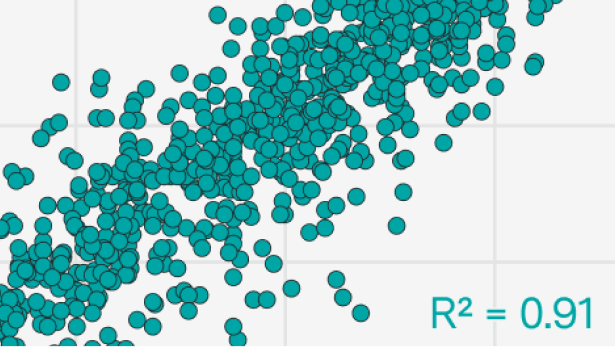
A single leaderboard number hides an enormous amount of variance. A model might score high on average because it excels at photorealistic prompts, but fail badly on minimalist line art. Another model could perform well on simple object prompts and collapse entirely when asked to compose four objects with specific spatial relationships.
In practice, aggregate scores of image model benchmarks are a starting point, not a final answer. For example, a model with a fantastic FID score might be generating generic, high-quality images that look realistic but also look the same across different prompts. That model will win on realism-focused benchmarks, yet fail in production when a user needs unique, prompt-specific artwork.
The same issue applies to CLIP Score. A model can earn a high CLIP Score by embedding text-like patterns into the image or by over-optimizing for the CLIP embedding space rather than producing genuinely aligned images. Without seeing the actual outputs, you can’t tell whether the score reflects robust alignment or a clever hack.
This is why researchers and practitioners now combine automated metrics with human review, task-specific benchmarks, and private test sets. The goal is not to find “the best model” but to find the best model for your context.
Key Benchmarks for Evaluating Image Generation Models
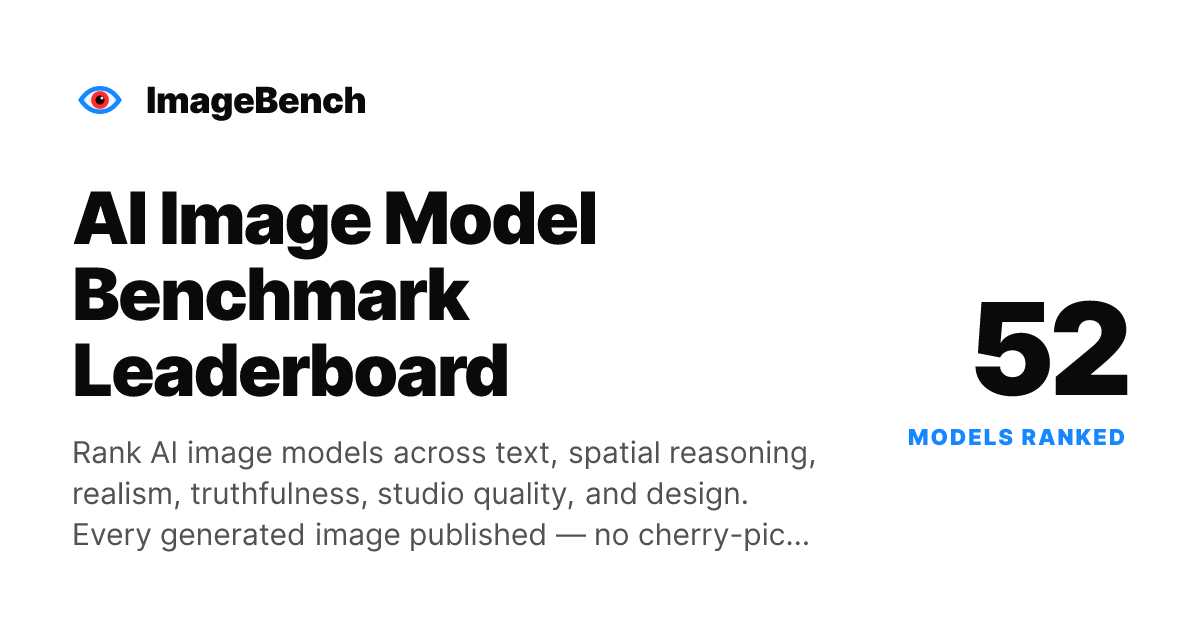
There is no single benchmark that tells you everything about a model. Instead, there are several families of metrics, each with its own strengths and blind spots.
FID, CLIP Score, and Human Preference Metrics
FID (Fréchet Inception Distance) is one of the oldest and most widely used metrics. It measures the distance between the feature distributions of generated and real images. Lower FID is better. FID is useful for comparing overall realism, but it does not measure prompt alignment. You can have a model with excellent FID that ignores the prompt entirely, as long as its outputs look like plausible real images.
CLIP Score compares the embedding of the generated image with the embedding of the prompt in CLIP space. Higher scores indicate better alignment. CLIP Score is fast and cheap, which makes it popular for automated evaluation. However, it inherits the biases of the CLIP model itself. It can be gamed by adding text-like artifacts, and it doesn’t always reflect human preferences.
Human preference metrics, such as ImageReward or PickScore, are trained on large datasets of human comparisons. These models try to predict which image a human would prefer. They do a better job of capturing subjective quality than FID or CLIP, but they are still approximations. The ideal human evaluation is a structured study with real users.
Here is a quick comparison of the three main metric families:
| Metric | What it measures | Strengths | Blind spots |
|---|---|---|---|
| FID | Distribution-level realism | Good for dataset-level quality | Ignores prompt alignment |
| CLIP Score | Text-image alignment | Fast and automated | Can be gamed; inherits CLIP bias |
| Human preference | Subjective quality | Captures aesthetic taste | Expensive; hard to reproduce |
Task-Specific Benchmarks for Text-to-Image and Image Editing
Generic metrics like FID and CLIP Score are not enough for tasks that require compositional reasoning or fine-grained editing. That’s why the community has developed task-specific image model benchmarks.
For text-to-image generation, benchmarks like GenEval test object counts, spatial relationships, and attribute binding. For example, a prompt might be “two dogs on the left of a cat” and the benchmark checks if the model understands the count and the spatial layout. T2I-CompBench focuses on compositional generation, including color binding, shape binding, and texture binding. DPG-Bench evaluates dense prompt following, where prompts contain many attributes that all need to be satisfied.
For image editing, benchmarks like MagicBrush and HQEdit test whether a model can apply a localized edit — such as changing the background, replacing an object, or adjusting the lighting — while preserving the rest of the image. Editing fidelity is a different skill from generation. A model that is great at generating images from scratch might still fail at making a precise edit.
When you choose benchmarks, think about your task. If you are building an image generation API for e-commerce, you need benchmarks that stress object counts, backgrounds, and attribute accuracy. If you are building a creative tool for designers, you need benchmarks that test style consistency and editorial composition.
Choosing the Right Image Model Benchmarks for Your Use Case

So how do you choose the right image model benchmarks for your use case? Start by separating your requirements into two categories: measurable quality and contextual quality.
Measurable quality includes things like object counts, text rendering, aspect ratio adherence, and prompt alignment. You can evaluate these with task-specific benchmarks and automated metrics.
Contextual quality includes brand voice, visual personality, cultural relevance, and aesthetic fit. These are harder to measure with public benchmarks. You need private tests with your own prompts and your own reviewers.
For example, if your use case is brand assets, you care deeply about style consistency. A model that generates beautiful but wildly different interpretations of your logo is not useful. If your use case is product photography, you care about photorealism, lighting, and the ability to generate accurate reflections. If your use case is editorial illustration, you care more about stylistic variety and narrative composition.
In short, the right image model benchmarks depend on what you are building. There is no universal “best model.” There is only the best model for a given set of requirements.
How to Compare Image Generation Models Effectively
Public leaderboards are convenient, but they are not a substitute for your own controlled comparison. When I help teams evaluate models, I always recommend the same three-step approach.
Build a Controlled Side-by-Side Test Set

The first step is to create a test set with identical prompts, fixed parameters, and a diverse range of image styles. If you change the seed, the sampling steps, the aspect ratio, or the negative prompt between models, you are not running a fair comparison.
For each model, use the same prompt set. Include simple prompts, complex prompts, photorealistic prompts, abstract prompts, and safety-sensitive prompts. The goal is to see where each model breaks, not just where it shines.
A common mistake is to use only prompts from your own product category. That can be useful for final validation, but for initial screening you need broader signal. A model that only works well on product photos might fail when a user asks for a watercolor illustration of a coffee cup.
Define Quality Criteria Before You Measure
Before you run any tests, decide what “good” looks like. Define the quantitative metrics you will use, such as CLIP Score for alignment, FID for realism, or model-specific task scores. More importantly, define the human review criteria: composition, style consistency, texture quality, brand fit, and so on.
If you define the criteria after seeing the outputs, you will naturally bias the evaluation toward the model you already like. Pre-registering your criteria keeps the process honest.
When implementing this, I recommend using a scoring rubric. For example, rate each output from 1 to 5 on prompt fidelity, aesthetic quality, and brand alignment. Then run the same rubric across all models before you look at the averages.
Use a Unified API Gateway for Fair Comparisons
This is where CCAPI enters the picture. CCAPI is an OpenRouter alternative that gives you a unified endpoint for many image generation models. Instead of writing a separate integration for each provider, you can send the same prompt to multiple models through one API.
Using a unified API gateway controls for API-level variables. It ensures that your requests are formatted the same way, that you’re using the same parameters, and that you can collect outputs in a consistent structure. This is especially valuable when you want to compare GPT Image, Seedream, Midjourney API, or other models side by side without changing your infrastructure.
You can generate an API token from the console token page, route your test prompts through CCAPI, and then score the outputs with your own script. This keeps the comparison workflow repeatable and significantly speeds up the evaluation process.
Multimodal AI Comparison: Evaluating Capabilities Beyond Still Images
Image generation does not happen in isolation. Modern AI systems are increasingly multimodal, and the quality of an image model often depends on the supporting text, audio, and video components.
From Text to Image, Audio, and Video: The Full Model Picture
OpenAI, Anthropic, Google, and other labs are shipping models that span text, image, audio, and video. An image benchmark only measures one slice of that capability. For example, a text-to-video model like Vidu or Seedance may generate a short clip based on a text prompt. The quality of the first frame matters, but the motion, temporal consistency, and audio synchronization matter even more. You cannot evaluate a video generation model with still-image metrics alone.
The same is true for audio. A product like the Suno API generates music, and the connection between text prompt and audio quality is a completely different evaluation problem. If your product relies on multimodal generation, you need separate benchmark suites for each modality — and you need a way to compare them consistently.
How CCAPI Enables Consistent Multimodal Testing
CCAPI offers unified access to major multimodal AI models, which makes it easier to compare behavior across modalities through one integration point. Instead of managing separate accounts, separate API formats, and separate rate limits for each provider, you can use one AI API gateway to send prompts to text models, image generation models, video models, and audio models.
For example, you could use the Qwen API for text understanding, Seedream for image generation, and Suno for audio generation, all through the same CCAPI integration. This lets you build a more complete evaluation pipeline that reflects the multimodal reality of your product.
If you use Claude Code, you can also connect CCAPI through an MCP server and run comparisons directly inside your coding workflow. This matters because AI model evaluation is not a one-time task; it’s an ongoing process that should be integrated into your development environment.
The Best Image Generation API for Benchmark-Driven Teams
When you are running image model benchmarks at scale, the quality of the model is only one part of the equation. The API you use to access the model matters just as much.
What Makes the Best Image Generation API
The best image generation API for benchmark-driven teams has several attributes.
First, it must expose the model version clearly. Benchmark scores shift with every model release, so you need to know exactly which version you tested. If the model updates silently, your benchmark results become meaningless.
Second, it must offer predictable latency. If you are running hundreds of prompts through multiple models, slow or inconsistent APIs can distort your throughput measurements. You need stable response times to make fair comparisons.
Third, it must have reliable uptime. A benchmark run that fails halfway through because of an API outage wastes time and reduces reproducibility. You want an API with strong service-level guarantees.
Fourth, it should support flexible rate limits. Comparing models often requires bursts of requests. If the API throttles aggressively, your benchmark suite will take much longer to complete.
Finally, clear documentation is essential. You need to know exactly what parameters are supported, what formats are accepted, and what fields come back in the response.
Transparent Pricing and Zero Vendor Lock-In with CCAPI
CCAPI stands out because of its transparent pricing model and no-vendor-lock-in approach. When you evaluate models, the last thing you want is surprise costs or a provider that makes it difficult to switch to a better model.
With CCAPI, you can see the pricing page and understand what each model costs before you run a single prompt. There are no hidden fees, and you only pay for what you use. If a model ranks well in your image model benchmarks but the cost is too high for your product margins, you can switch to another provider through the same unified API.
This no-vendor-lock-in design is critical for long-term AI model evaluation. It means your benchmark-driven decision can be acted on immediately. If a new model outperforms your current one, you can start routing traffic to it without rewriting your integration. You can top up your account on the console top-up page and keep your tests running.
Running Automated Benchmark Suites Through One Endpoint
CCAPI also makes it possible to run automated benchmark suites through one endpoint. Here is a practical workflow that I’ve used with teams:
- Assemble a prompt library that represents your target use cases.
- Use CCAPI to send each prompt to every model in your shortlist.
- Save the outputs with metadata: model version, prompt, parameters, timestamp.
- Run automated scoring for metrics like CLIP Score and model-specific task scores.
- Send the same outputs to human reviewers for qualitative evaluation.
A simple Python-like pseudocode for this workflow looks like this:
prompts = load_prompt_set("brand_prompts.json")
models = ["gpt-image", "seedream", "midjourney"]

for model in models:
    for prompt in prompts:
        output = ccapi.generate(
            model=model,
            prompt=prompt,
            seed=42,
            size="1024x1024"
        )
        save_output(model, prompt, output)
        score_with_automated_metrics(output)
Because CCAPI normalizes the request format, the same script works for every provider. This makes your image model benchmarks reproducible and scalable.
Why Image Model Benchmarks Are Not Enough for Real-World Selection
Even the best public benchmark suite cannot replace validation in your real-world context. I’ve seen this happen multiple times.
Real-World Case: Brand Assets vs. Leaderboard Scores
Imagine a model that ranks in the top three on most public image model benchmarks. It generates beautiful landscapes, realistic portraits, and impressive concept art. But when a team tries to use it for brand assets, the model consistently adds extra decorative elements, alters the logo proportions, and introduces color variations that violate the brand guidelines.
In practice, brand assets require consistency. A model that scores high on a general benchmark might still fail on a specific brand style or a culturally specific prompt. The benchmark says the model is good at generating images; it does not say the model is good at generating your images.
This is why private test sets are so important. They capture the prompt distribution your users actually generate, the visual styles you need to support, and the failure modes that are deal-breakers for your product.
Common Pitfalls in Benchmark Interpretation
There are several hidden pitfalls in image model benchmarks that can mislead you.
One is benchmark contamination. Some models have been seen on training data that includes popular benchmark prompts. That means they can “remember” the correct answer rather than generalize. A high score on a public leaderboard might reflect memorization, not capability.
Another is overfitting to prompt sets. Developers and researchers often optimize models against a fixed set of prompts. Once those prompts become public, future models can be tuned to score well on them. This inflates public scores and makes it harder to know which model actually works better on novel inputs.
A third issue is version drift. A model that scored well in last month’s benchmarks may have been replaced by a newer version with different behavior. If you don’t track model versions, you might make decisions based on outdated scores.
Finally, relying on a single metric is risky. Every metric has blind spots. A model that looks dominant on CLIP Score might fail on FID, or vice versa. You need a balanced set of quantitative and qualitative signals to make a confident decision.
AI Model Evaluation: A Step-by-Step Process
To avoid these pitfalls, you need a structured process for AI model evaluation. Here is a step-by-step approach that works well for teams building on image generation APIs.
Define Evaluation Goals and Quality Thresholds
Start by defining what “good enough” looks like. Which failure modes are deal-breakers? What trade-offs between speed, cost, and quality are acceptable? For example, a real-time sticker generator might accept lower quality in exchange for faster generation. A high-end ad agency might accept higher latency if the image quality is significantly better.
Write these thresholds down. If a model does not meet your minimum CLIP Score but produces images your reviewers love, you need to decide which signal matters more. Having thresholds ahead of time makes that decision easier.
Assemble a Diverse Prompt and Scenario Set
Your prompt library should cover simple prompts, complex prompts, abstract concepts, photorealistic requests, and safety-sensitive scenarios. Include prompts from your actual user logs, but also add edge cases that you expect to see in the future.
A good prompt library might include:
- A single object on a plain background
- Multiple objects with spatial relationships
- A specific artistic style like “watercolor” or “isometric pixel art”
- A text-heavy prompt that tests text rendering
- A prompt with culturally specific context
- A prompt that should trigger a safety refusal
The goal is to see the full range of model behavior. A model that passes all your simple tests might still fail on complex compositional prompts.
Automate Scoring and Human Reviews
Automated metrics are great for scalability, but they are not enough. You need structured human feedback to capture subjective quality. I recommend a hybrid evaluation: use automated metrics to filter out clearly bad models, then use human reviewers to evaluate the top candidates.
For human reviews, build a rubric before you start. Ask reviewers to rate each image on prompt fidelity, aesthetic quality, brand fit, and technical artifacts. Keep the review sessions blind to the model name to avoid brand bias.
Track Model Versions and Results Over Time
Model evaluation is not a one-time task. Models are updated frequently, and your benchmark results need to stay current. Log every request you send through CCAPI with the model version, prompt, parameters, and output metadata. That way, you can compare results across time and detect regression early.
Long-term monitoring also helps you decide when to re-run your image model benchmarks. If a new model version is released, or if your prompt distribution changes, you can quickly re-run your private test set and see whether your current model is still the right choice.
When to Trust Image Model Benchmarks (and When Not To)
Public benchmarks are valuable tools, but they should not be the only input into your decision.
Pros and Cons of Public Image Benchmarks
The main advantage of public image model benchmarks is that they provide a standardized, quick way to compare many models. They are useful for broad screening, for finding models that are clearly weak in a particular area, and for tracking improvement over time.
The main disadvantage is that they are not tailored to your use case. Public benchmark scores do not reflect your user base, your brand requirements, or your latency and cost constraints. They also suffer from contamination and overfitting, which can inflate the apparent performance of popular models.
Building Private Benchmarks for Long-Term Monitoring
For these reasons, I recommend building a private benchmark set. Use your own prompts, your own evaluation rubric, and your own scoring pipeline. This set should be based on real user queries and brand-specific needs.
Public image model benchmarks can guide your initial shortlist. But the final choice should be driven by private tests. A model that ranks lower publicly might be the best fit for your product because it handles your specific prompt distribution better.
Decision Framework: Matching Benchmarks to Use Cases
Here is a simple framework to follow:
- Shortlist with public benchmarks. Use public leaderboards to rule out models that clearly underperform on the dimensions you care about.
- Validate with controlled side-by-side tests. Use CCAPI to run your private prompt set across the remaining models under identical conditions.
- Monitor production with ongoing analytics. Track real user feedback, error rates, and image quality signals over time.
This framework gives you the best of both worlds: the broad coverage of public benchmarks and the reliability of context-specific evaluation.
Conclusion
Image model benchmarks are a starting point, not a verdict. They help you compare models at scale, but they cannot tell you whether a model will work for your brand, your users, or your latency budget. The only way to answer that question is to run controlled side-by-side tests with your own prompts, define your quality criteria in advance, and track results over time.
If you’re ready to start evaluating image generation models, CCAPI gives you a practical way to route the same prompts to multiple providers through one API. Explore the available image generation models, check the transparent pricing, and build a benchmark suite that reflects your real needs. That’s how you move from leaderboard noise to confident model selection.