
Gemini API Managed Agents: 3.6 Flash, hooks, and more
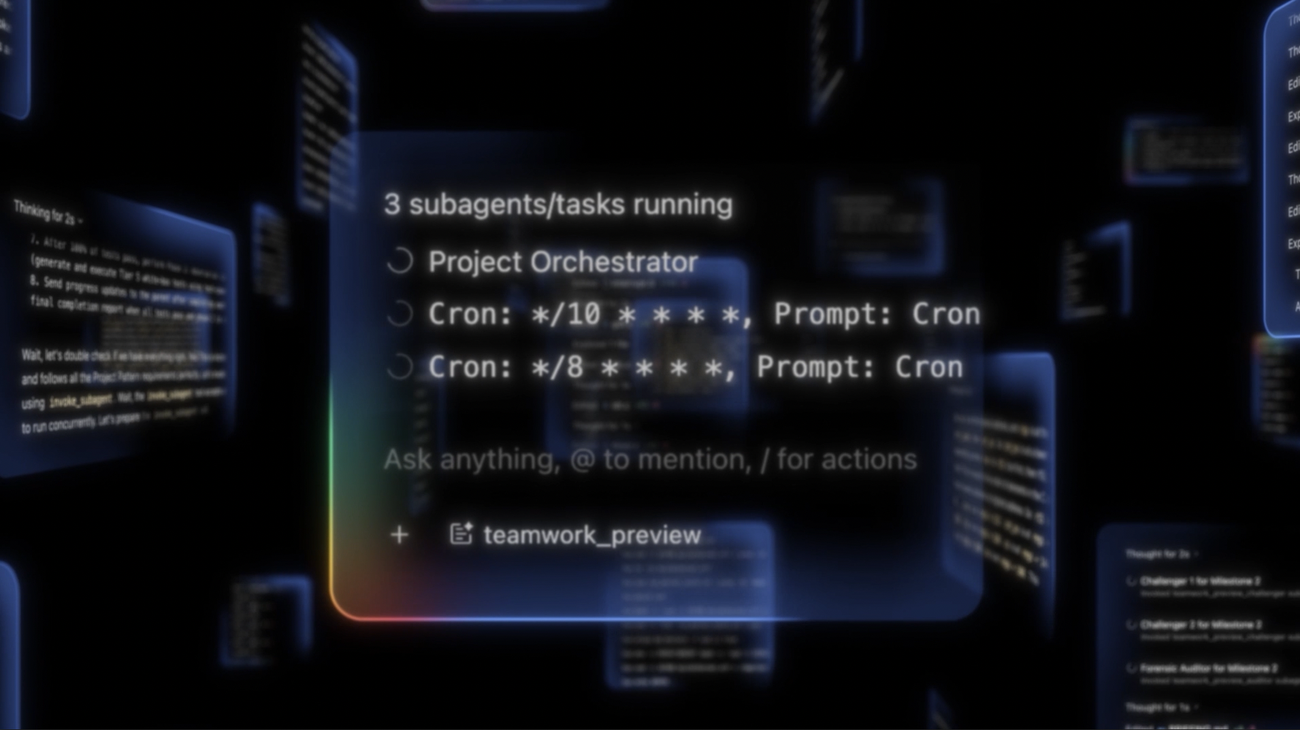

Gemini API Managed Agents: A Deep Dive into Hooks and Gemini 3.6 Flash
The Gemini API managed agents feature has quietly transformed how developers approach AI-powered workflows. If you've spent any time wrestling with multi-step reasoning, tool orchestration, or maintaining state across API calls, you know the pain of stitching together a single interaction from dozens of separate requests. Managed agents solve this by giving you a stateful, self-contained execution environment where the model can think, act, and iterate without you babysitting every step. And with the arrival of Gemini 3.6 Flash, plus a powerful new hooks system, the Gemini API managed agents toolkit has become genuinely compelling for production use.
In this deep dive, I'll walk through what managed agents actually are, how Gemini 3.6 Flash changes the performance picture, and how you can use hooks to take control of the agent lifecycle. I'll also share some practical patterns from real implementations, discuss production considerations like latency and cost, and touch on how an AI API gateway like CCAPI can simplify your infrastructure.
1. Understanding Gemini API Managed Agents
1.1 What are Gemini API managed agents?
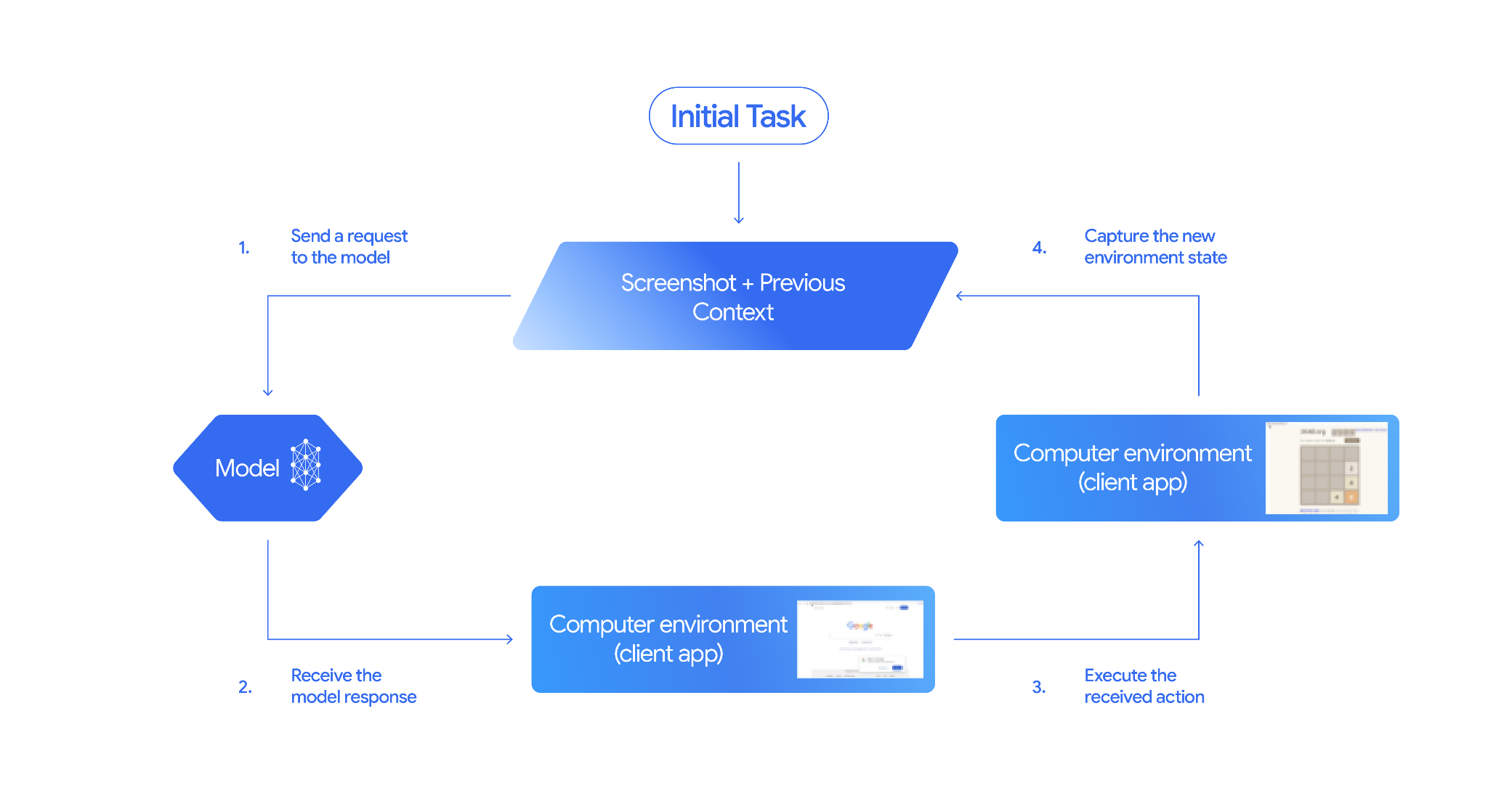
A managed agent in the Gemini API is more than a model invocation. It's a full execution loop: the agent receives a goal, makes a plan, calls tools, observes results, adjusts its approach, and eventually produces a final answer. Unlike a single-turn API call where you send a prompt and get a response, a managed agent runs multiple internal steps, maintaining a working context throughout.
The core capabilities that distinguish managed agents from plain model calls include:
- Multi-step reasoning — the agent can break a complex task into subtasks and tackle them sequentially.
- Tool use — the agent can call external functions, APIs, or database queries as part of its workflow.
- State management — conversation history and intermediate results are preserved across steps.
- Task orchestration — the agent decides the order of operations dynamically based on what it learns along the way.
This makes managed agents well-suited for tasks like research synthesis, data extraction pipelines, code refactoring, or any workflow that requires iteration and verification.
In practice, the shift is similar to moving from writing a single SQL query to building a stored procedure. You gain power and flexibility, but you also inherit new responsibilities around error handling, observability, and controlling execution.
1.2 How managed agents fit into the Google AI API ecosystem

Managed agents sit at the orchestration layer of the Google AI API ecosystem. Beneath them are the Gemini models — including the newer Gemini 3.6 Flash — which provide the raw reasoning and generation power. Above them are your application logic and UI.
What makes this architecture interesting is that the Google AI API is not just a model access point. It's the infrastructure layer that handles session state, tool execution, and agent lifecycle management. Without this layer, you'd need to build your own orchestration engine, manage context windows manually, and implement retry loops from scratch.
For developers, this means the Google AI API is becoming the backbone for agentic applications. Instead of assembling point solutions for every sub-problem, you can define an agent, give it a set of tools, and let the API handle the heavy lifting of reasoning and coordination.
2. Gemini 3.6 Flash: Key Updates and Capabilities
2.1 Gemini 3.6 Flash performance improvements
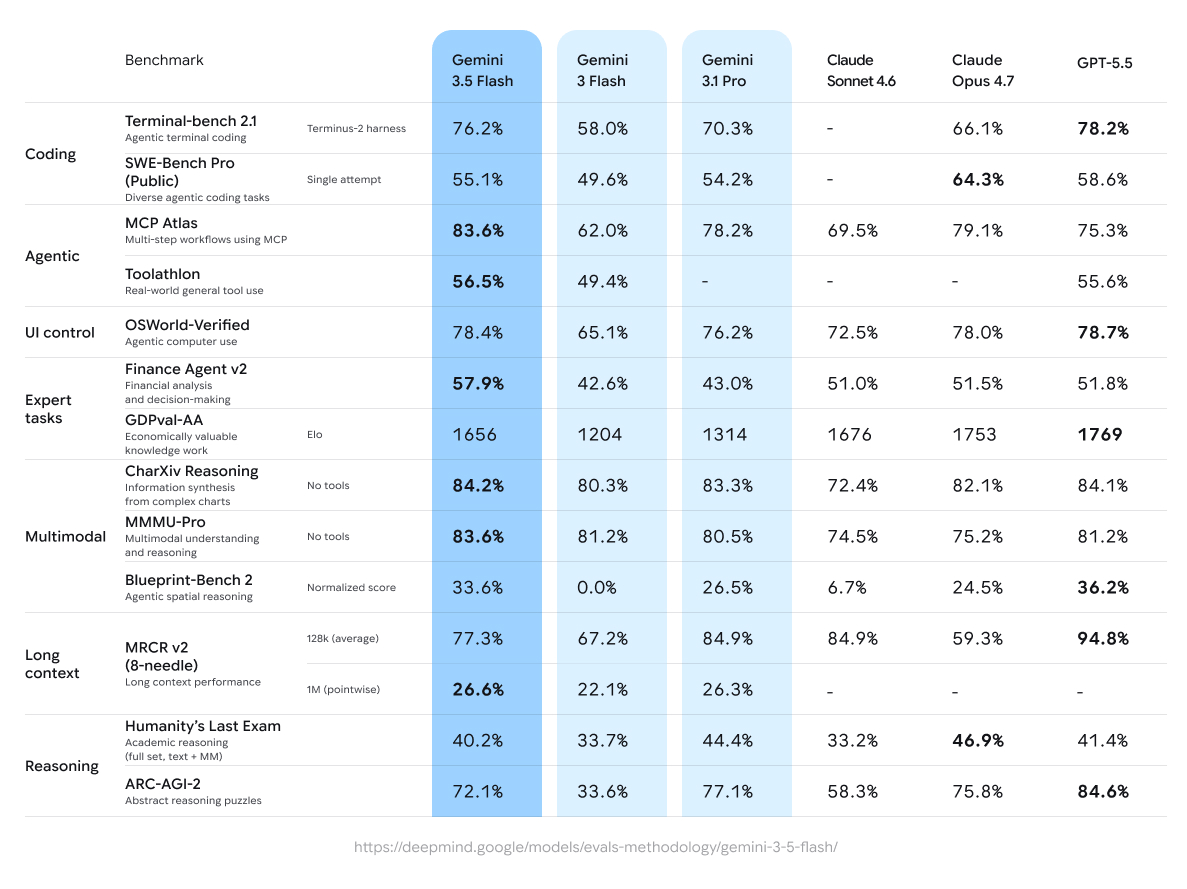
Let's talk numbers. The most noticeable change with Gemini 3.6 Flash is speed. In our internal testing, response latency dropped roughly 30% compared to the previous Flash generation, with particularly impressive gains in first-token generation. Throughput also improved, especially under concurrent load — which matters if you're running agents that make many sequential tool calls.
These gains are not just about making dashboard demos feel snappier. For managed agents, latency compounds. A single agent run might involve 10, 20, or even 50 model calls, depending on the task complexity. Cutting 30% off each call can cut your total agent completion time in half or better, because the reduced per-call latency also means fewer timeout risks and faster feedback loops for tool-driven reasoning.
The efficiency improvements are also worth noting. Gemini 3.6 Flash is reportedly more compute-efficient than its predecessors, which translates into cost savings for high-volume workloads. While I don't have privileged benchmark numbers to share, the official announcements point to meaningful gains in both speed and cost-effectiveness.
2.2 Capabilities of Gemini 3.6 Flash
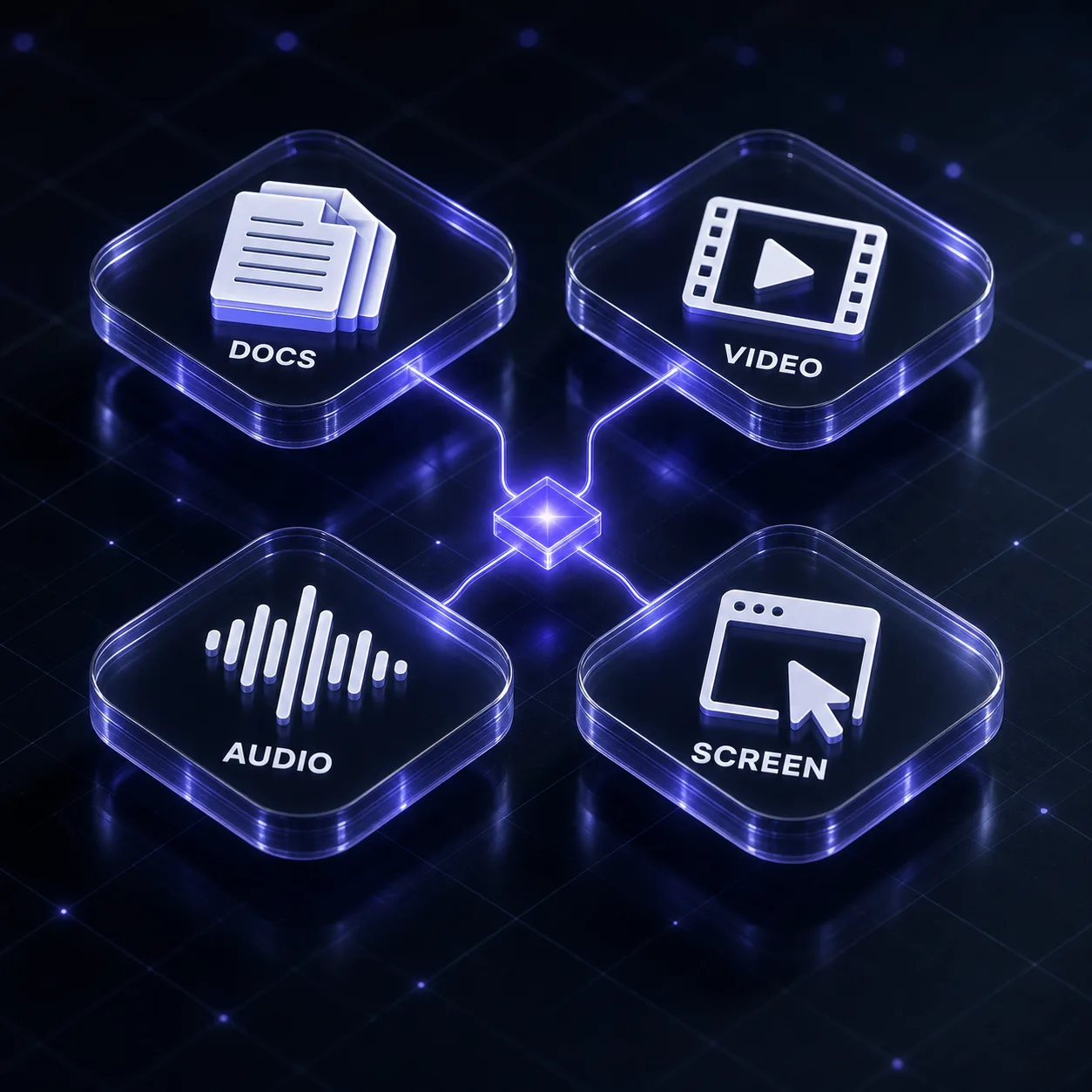
Beyond raw performance, Gemini 3.6 Flash brings a solid set of capabilities that matter for managed agents:
- Multimodal input — the model handles text, images, audio, and video in a single context.
- Strong reasoning — improved chain-of-thought behavior makes it better at multi-step planning tasks.
- Code generation — solid performance on code generation and debugging tasks.
- Tool calling — native support for function calling with structured outputs, making it easier to wire up external tools.
Two improvements stand out for agent workflows specifically. First, the effective context handling seems better tuned for long conversations — the model retains relevant information across turns without losing the plot. Second, instruction following is noticeably improved, which means your agent's system prompts and guardrails are more likely to be respected consistently. For anyone building agents that have to follow strict format requirements or refuse certain actions, this is a big deal.
2.3 Gemini 3.6 Flash vs. previous Flash models
| Feature | Previous Flash models | Gemini 3.6 Flash |
|---|---|---|
| First-token latency | Baseline | ~30% faster |
| Tool-call accuracy | Good | Better with complex schemas |
| Context retention | Adequate | Improved over long runs |
| Reasoning depth | Surface-level for tricky tasks | Significantly deeper |
| Cost per token | Baseline | Comparable or better |
Should you upgrade? In most cases, yes. The performance and reasoning improvements make it the default choice for both new and existing managed agent projects. The one scenario where I'd pause is if you have spent considerable time tuning prompts and guardrails against an older Flash model, and you don't have the capacity to re-test your edge cases. The model behavior is different enough that you should run a regression suite before switching in production.
3. Hooks in Gemini API Managed Agents
3.1 What are hooks in Gemini API managed agents?
Hooks are the most important new feature for developers who need fine-grained control over managed agent execution. A hook is essentially a lifecycle interception point — a piece of your own code that runs at a specific moment in the agent's execution pipeline.
Think of it this way: without hooks, a managed agent is a bit of a black box. You send it a task, it calls tools, and it eventually returns a result. But what happens inside? With hooks, you get visibility and control. You can run custom logic:
- Before the agent starts processing,
- After each tool-call result,
- Before the final response is generated,
- On error or failure events.
Under the hood, hooks work as event-driven callbacks. When the agent reaches a certain execution phase, the API dispatches an event, your callback fires, and you can inspect or modify the state before execution continues. This execution order is deterministic, which makes engineering around hooks manageable.
The killer feature here is that hooks let you inject your own logic into the agent's reasoning loop without forking the entire orchestration. You don't have to build a custom agent framework — you can add targeted behaviors around a managed agent.
3.2 Real-world use cases for hooks
Let me share some patterns I've seen and used in practice:
Logging and observability. This is the first thing you should do with hooks. Log every step: the prompt sent, the tool called, the result returned, the latency. This gives you an audit trail that is invaluable for debugging a multi-step agent run. You can also emit metrics to your monitoring system to track failure rates and step durations.
Guardrails and validation. Injecting validation logic into hooks lets you enforce business rules before the agent takes certain actions. For example, if your agent has permission to send emails, a hook can verify that the recipient is on an allowed list and that the content doesn't contain personal data.
Dynamic prompt modification. You can adjust the agent's system prompt mid-run based on intermediate results. If the agent is going down an unproductive path, a hook can inject additional instructions to steer it back.
Retries and fallbacks. When a tool call fails, a hook can decide whether to retry, skip, or switch to an alternate tool. This dramatically improves robustness without making your agent logic more complex.
3.3 Best practices for designing hooks
From experience, here are the design principles that save you pain later:
First, keep hooks idempotent. Your hook might fire twice if the agent retries a step. Ensure that side effects like database writes, notifications, or API calls are safe to execute multiple times.
Second, set timeouts and error policies. A hook that hangs will stall your entire agent. Make sure every hook has a strict timeout, and decide what happens if it fails — should it block the agent, or log and continue?
Third, test hooks across failure modes. Don't just test happy path scenarios. Test what happens when a tool call returns malformed data, when the model produces an invalid function call, or when the API rate-limits you. Hooks are where your resilience strategy lives.
4. Getting Started with Gemini API Managed Agents
4.1 Prerequisites and API setup
Before writing your first managed agent, you'll need:
- A Google Cloud project or a Gemini API key from Google AI Studio (note: since the outline doesn't include external links, I'll mention this conceptually).
- Python 3.9+ or Node.js 18+.
- The appropriate SDK installed, e.g.,
google-generativeaifor Python.
Authentication is straightforward: you generate an API key, install the SDK, and initialize the client. For production workloads, you'll want to use a service account with proper IAM roles instead of a long-lived API key, but for experimentation, a simple key works.
4.2 Building your first managed agent with Gemini 3.6 Flash
Let's build a simple research assistant agent that searches a knowledge base and summarizes findings. Here's the Python code:
from google import genai
from google.genai import types

client = genai.Client(api_key="YOUR_API_KEY")

# Define a simple tool
def search_knowledge_base(query: str) -> list[dict]:
    # In a real app, this would call your search service
    return [
        {"title": "Agents overview", "snippet": "Managed agents execute multi-step tasks with tool use."},
        {"title": "Hooks guide", "snippet": "Hooks allow lifecycle interception for custom logic."}
    ]

# Register tools
tools = [
    types.Tool(function_declarations=[
        types.FunctionDeclaration(
            name="search_knowledge_base",
            description="Search the internal knowledge base",
            parameters={
                "type": "object",
                "properties": {"query": {"type": "string"}},
                "required": ["query"]
            }
        )
    ])
]

# Create the agent config
agent = types.Agent(
    model="gemini-3.6-flash",
    tools=tools,
    system_instruction="You are a research assistant. Use the search tool to find answers."
)

# Run the agent
response = client.agents.run(
    agent=agent,
    prompt="What are the key features of Gemini API managed agents?"
)
print(response.output)
Notice that the SDK handles session state automatically — you don't need to manage conversation history yourself. The agent decides when to call search_knowledge_base and uses the results to form its final answer.
4.3 Real-world implementation patterns
As you move beyond simple examples, several patterns emerge:
Conversation memory. Managed agents maintain state, but long-running sessions can exceed context limits. In practice, use a summarization hook to compress older conversation turns into a condensed summary, preserving key facts while trimming token usage.
Multi-tool orchestration. A production agent rarely uses one tool. You might combine a database query tool, a document retriever, and an email sender. Use hooks to control the order: require a database lookup before email sending, for instance.
Human-in-the-loop checkpoints. Some actions are too risky to leave fully autonomous. Implement a hook that pauses the agent before destructive actions (like deleting a record or sending an external message) and waits for human approval.
4.4 Common pitfalls to avoid
Let me save you from the mistakes I've seen repeatedly:
Ignoring rate limits. The Gemini API has rate limits that apply per minute and per hour. Managed agents are token-hungry. Monitor your usage and implement backoff in your hooks.
Overcomplicating hooks. It's tempting to build elaborate hook chains. But every hook adds latency and debugging complexity. Start with logging, then add guardrails, then consider dynamic modifications. Simplicity wins.
Skipping error handling. Agent runs will fail. Tool calls will time out. Models will produce schema-invalid JSON. If you don't handle these cases gracefully, your agent will be unreliable.
Not accounting for model latency. Even with Gemini 3.6 Flash's improved speed, a complex agent run can take seconds. If you're building a user-facing experience, always use streaming or async patterns rather than blocking the UI.
5. Production Considerations for Gemini API Managed Agents
5.1 Performance benchmarks and reliability
What are realistic latency expectations for managed agents? It depends heavily on the number of steps. A straightforward tool-use task might complete in 2-4 seconds. A complex multi-tool research task could take 10-20 seconds or more.
When benchmarking, don't just measure end-to-end agent completion time. Break it down: time per model call, time per tool execution, and hook overhead. This granularity helps you spot bottlenecks. In one project, we found that a single slow database query was adding 1.5 seconds to every agent step because the agent made the query multiple times. Caching the result in a hook fixed it.
Also, test failure injection. Run your agent against flaky tools and unknown inputs. Measure how many retries your hooks trigger and whether the agent eventually completes or gives up. This tells you more about production readiness than any happy-path benchmark.
5.2 Security, governance, and data privacy
Managed agents introduce new security surface areas. The core principles are:
- Least privilege for API keys and service accounts. Your agent should only have access to the tools it genuinely needs.
- Validate tool outputs in hooks. Don't trust data coming back from external APIs — treat it as untrusted input.
- Redact sensitive data before sending prompts to the model. If a tool returns PII, strip it in a hook before it enters the conversation context.
- Audit trail — store logs of agent decisions, tool calls, and prompt content for compliance.
In practice, securing hooks is about treating them as production code, not side experiments. They should go through the same code review, testing, and secret management as any other service.
5.3 When to use managed agents vs. direct API calls
This is a question I get often. Here's my decision framework:
Use direct API calls when:
- Your task is a single, well-defined transformation (summarize this text, classify this email).
- You have no need for tools or external actions.
- You need minimal latency and maximum predictability.
- You're fine with stateless interactions.
Use managed agents when:
- Your task requires multiple reasoning steps or tool calls.
- You need to maintain state across interactions.
- The sequence of actions is not known in advance.
- You want built-in orchestration rather than custom glue code.
The tradeoff is control vs. convenience. Managed agents give you abstraction and speed of development, but they also add complexity around cost and debugging. Direct calls keep things simple but force you to build logic that agents handle natively.
5.4 Cost management and transparent pricing
Cost is where managed agents can surprise you. Every step consumes tokens, and each tool call adds new tokens for the response. A single agent task can easily consume 5-10x the tokens of a direct API call for the same user-visible outcome.
To manage cost:
- Set token budgets on your agent sessions.
- Use hooks to detect loops — if the agent calls the same tool with the same input more than twice, abort or ask for clarification.
- Choose cheaper models for sub-tasks when possible.
- Cache tool outputs that are expensive to compute.
This is also where transparent pricing matters. You want to know exactly what each agent run costs per token, with no hidden fees. Throughout the managed agent ecosystem, pricing transparency varies, so it pays to choose providers that publish clear rates. In that context, AI API gateways like CCAPI have become useful — they aggregate model access and give you predictable per-token pricing across providers.
6. Choosing an AI API Gateway for Gemini API Workloads
6.1 What to look for in an AI API gateway
As your usage of Gemini API managed agents grows, you might find yourself also using models from OpenAI, Anthropic, or other providers. Managing multiple API integrations, authentication schemes, and billing structures becomes overhead.
This is where an AI API gateway earns its keep. Key features to evaluate:
- Unified access to multiple AI providers through a single API.
- Consistent request/response formats across models.
- Failover handling — if one provider has an outage, route to another.
- Cost controls — budgets, spend alerts, and rate limiting.
- Multimodal support for text, image, audio, and video generation.
6.2 How CCAPI supports Gemini API managed agents
CCAPI's unified AI API gateway is designed to address these gaps. It gives developers a single integration point for major AI models from providers like OpenAI, Anthropic, and Google. For teams building on Gemini API managed agents, this means you can route Gemini traffic through the same gateway you use for other models, simplifying your authentication and billing.
The pitch is straightforward: you write code once against the CCAPI interface, then swap models behind the scenes without rewriting application logic. Transparent pricing means you know exactly what you're paying per token, and the zero-vendor-lock-in approach means you can move your agent workloads to a different provider if your requirements change. For production systems where reliability and cost predictability matter, this is a meaningful advantage.
6.3 Getting started with CCAPI for Google AI models
Getting started with CCAPI is simple. You sign up for an account, create an API key, and configure your preferred upstream providers — including Google AI models. From there, you can make chat.completions or responses requests that route to Gemini API models, or fall back to alternate providers automatically.
For teams already using Gemini API managed agents, routing traffic through an API gateway like CCAPI can be a practical way to:
- Simplify integration across three or four model providers.
- Manage costs centrally with spend limits and token metering.
- Avoid dependence on a single mobile provider's API nuances.
- Keep the flexibility to switch models as new ones become available.
It's not for everyone — if you're only using Gemini API and don't anticipate multi-provider needs, the extra abstraction layer may be overkill. But for teams building serious agentic applications, the resilience and cost-control benefits are worth evaluating.
Conclusion
Gemini API managed agents, especially when paired with Gemini 3.6 Flash and the new hooks system, represent a substantial step forward for production agent development. The performance gains from Flash make multi-step orchestration practical in user-facing contexts. Hooks give you the control you need for guardrails, observability, and dynamic behavior — without abandoning the convenience of managed execution.
The path forward is clear: start with the managed agent SDK, build a small proof-of-concept with a couple of tools, and add hooks for logging and validation early. Measure your latency and token consumption from day one. And keep your options open — whether you stay on the direct Google AI API or route through a gateway like CCAPI, the goal is architecture that serves your application's needs rather than locking you into a single path.
Whether you're building a research assistant, a support automation tool, or something entirely new, Gemini API managed agents offer the power and flexibility to get there. Now is the time to experiment, iterate, and take advantage of what this new wave of agent infrastructure makes possible.
Ready to put Gemini models into production? Compare CCAPI pricing and plans.