
Fallback model for Nano Banana Pro - Updated Guide
Nano Banana Pro Fallback Model: A Comprehensive Guide to Resilient AI Generation
When you build production systems around generative AI, the primary model is never the whole story. A Nano Banana Pro fallback model is the automatic alternate route your system uses when the primary generation job fails, degrades, or becomes too slow to meet service-level objectives. For teams working with image, video, and multimodal outputs, fallback is not a nice-to-have—it is the difference between a resilient pipeline and a broken user experience. This deep-dive covers the technical architecture, routing logic, testing strategy, and operational trade-offs of implementing a Nano Banana Pro fallback model in real-world AI generation workflows. We will also look at how a unified gateway like CCAPI simplifies multi-provider failover, transparent pricing, and vendor diversity without locking you into a single ecosystem.
1. What a Fallback Model Means for Nano Banana Pro
1.1 Fallback Model Basics: Primary vs. Secondary Generation Routes
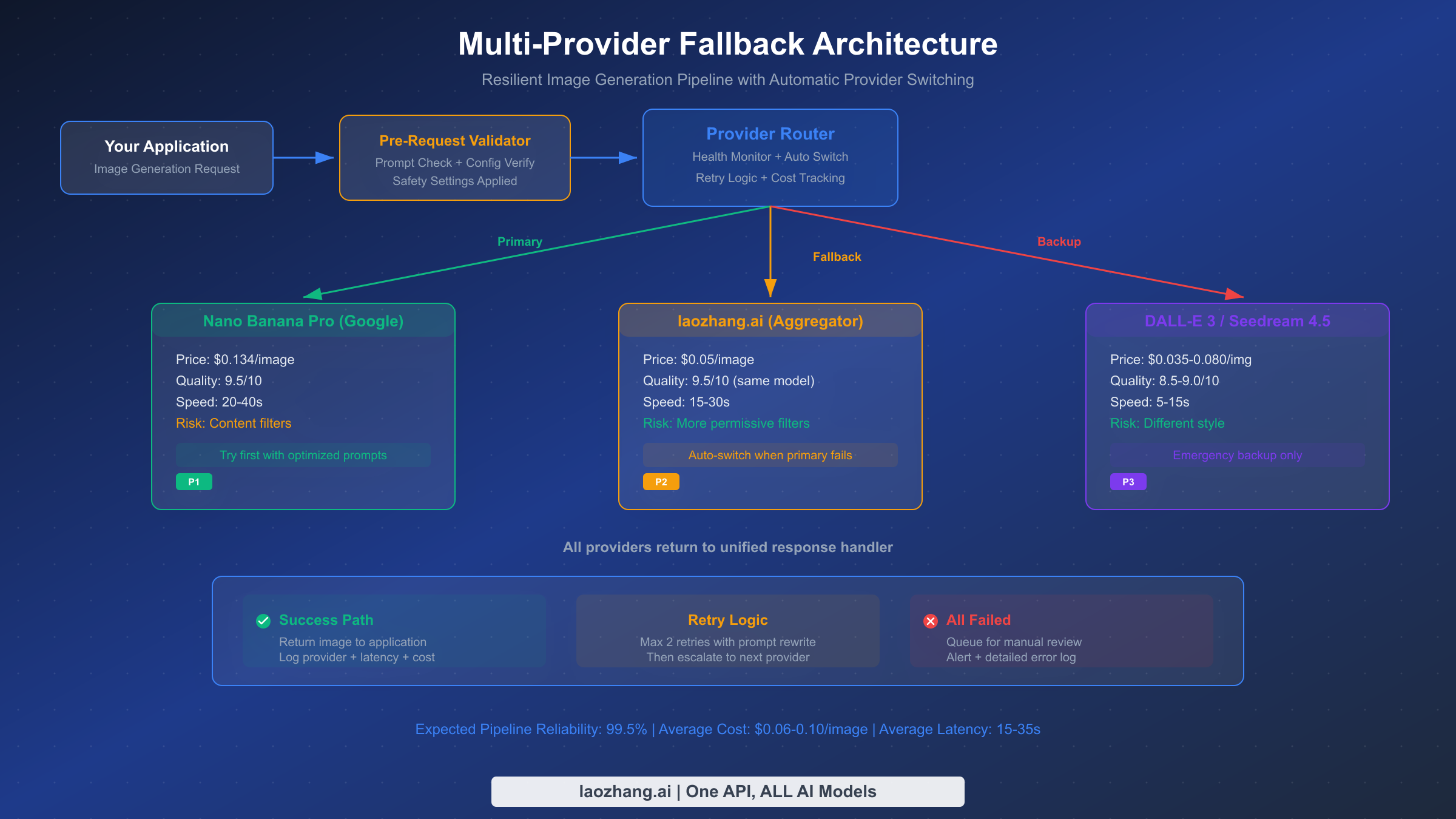
A fallback model is an automatic alternate AI model invoked when the primary route fails, degrades, or exceeds acceptable latency. It is not the same as a simple retry. A retry sends the same request to the same provider, hoping the transient error resolves. A true fallback switches to a different model, sometimes from a different provider, with its own capacity, rate limits, and failure profile. For Nano Banana Pro, which handles image generation and multimodal tasks, the fallback may be another image generation API, a video generation API, or a smaller diagnostic model that rewrites the prompt before escalating.
1.2 Why Nano Banana Pro Needs an AI Model Fallback
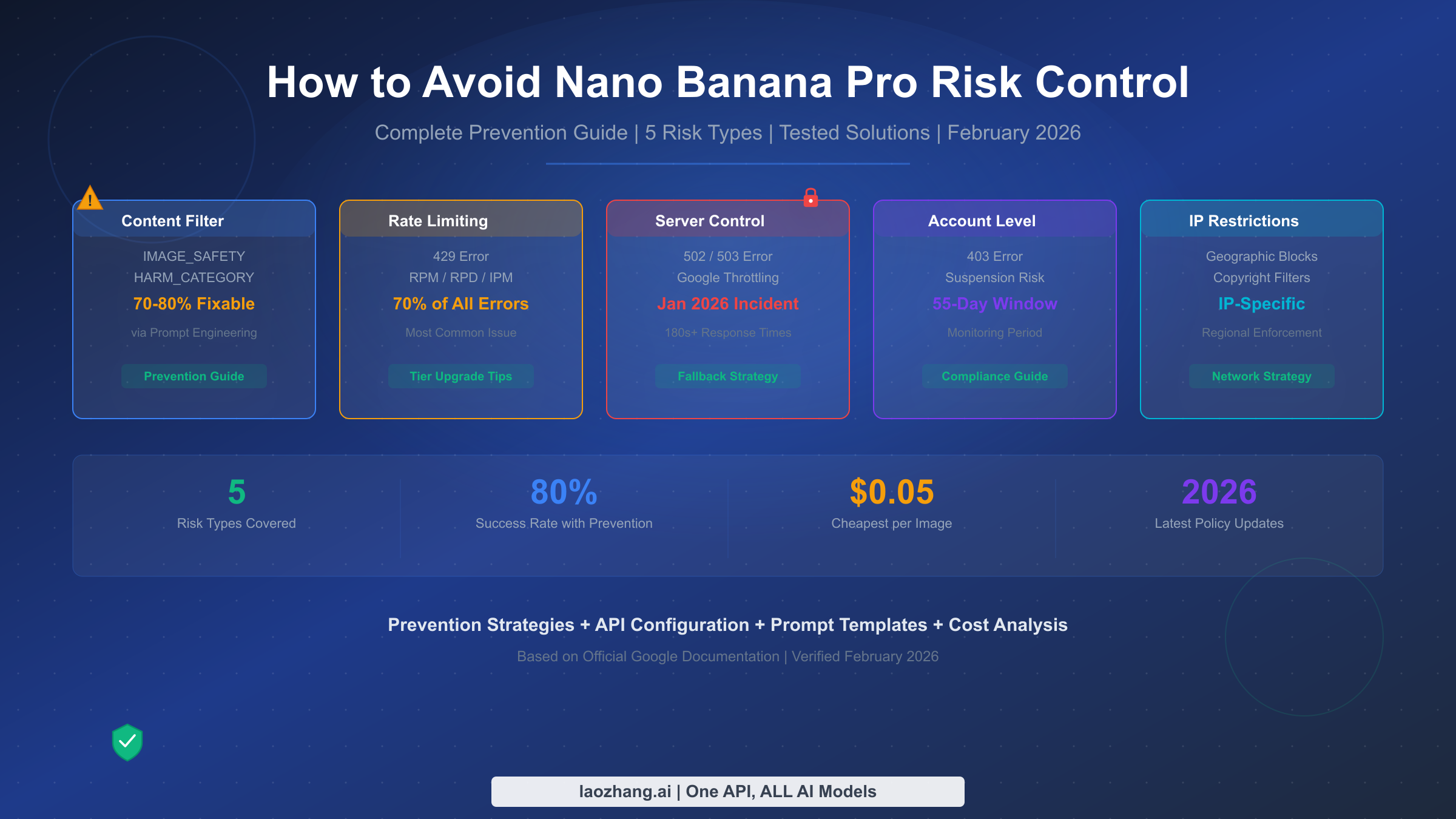
Image, video, and multimodal workloads are inherently vulnerable to timeouts, rate limits, safety blocks, and provider outages. A single 429 response can stall an entire batch of product images. A regional outage can halt video rendering for hours. A stricter moderation filter can reject valid prompts that were previously accepted. Resilient AI API design anticipates these failure modes and routes around them automatically. Without a fallback, every provider hiccup becomes a user-facing incident.
1.3 How CCAPI Turns Fallback into a Unified Multimodal AI API Gateway
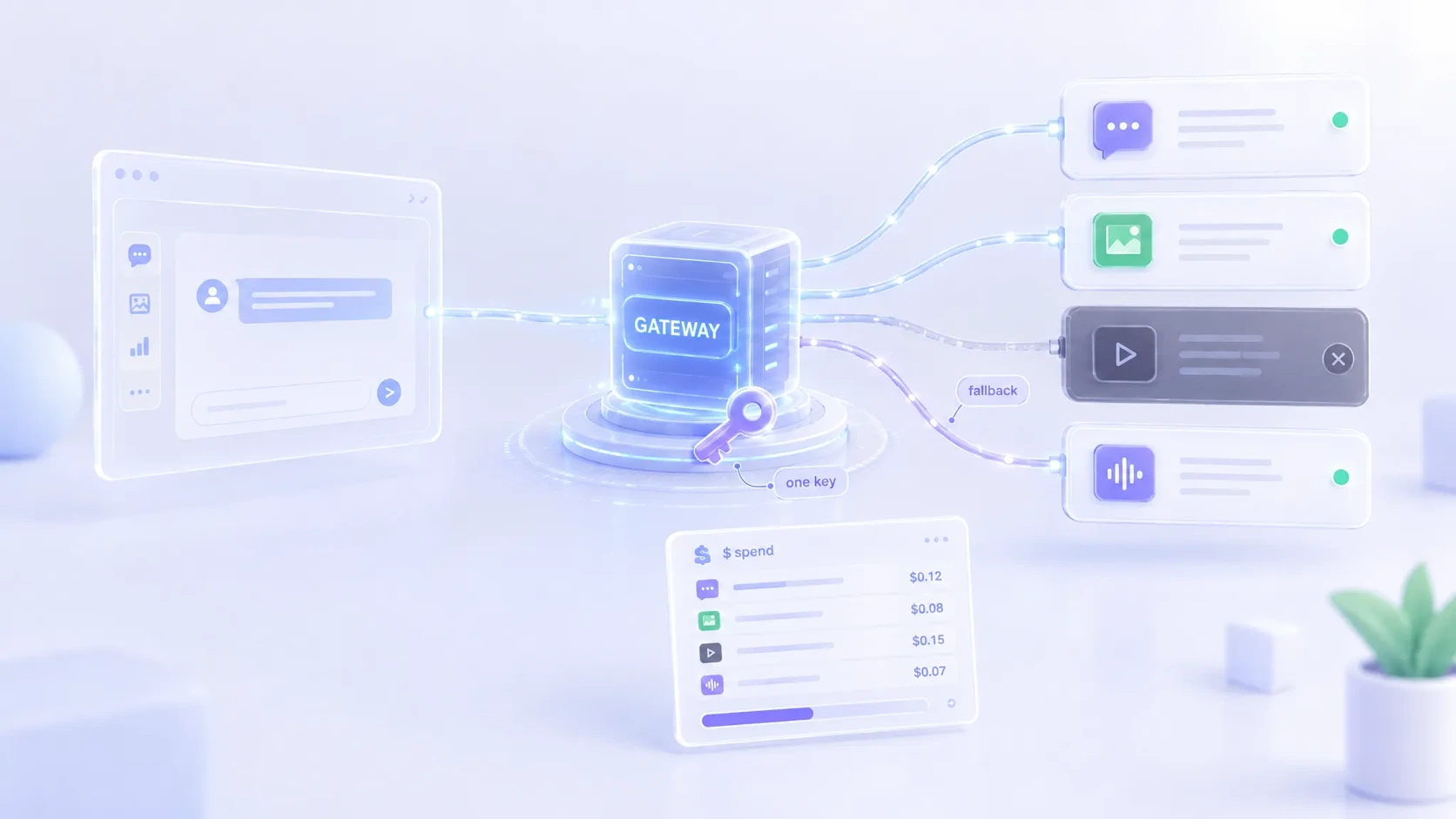
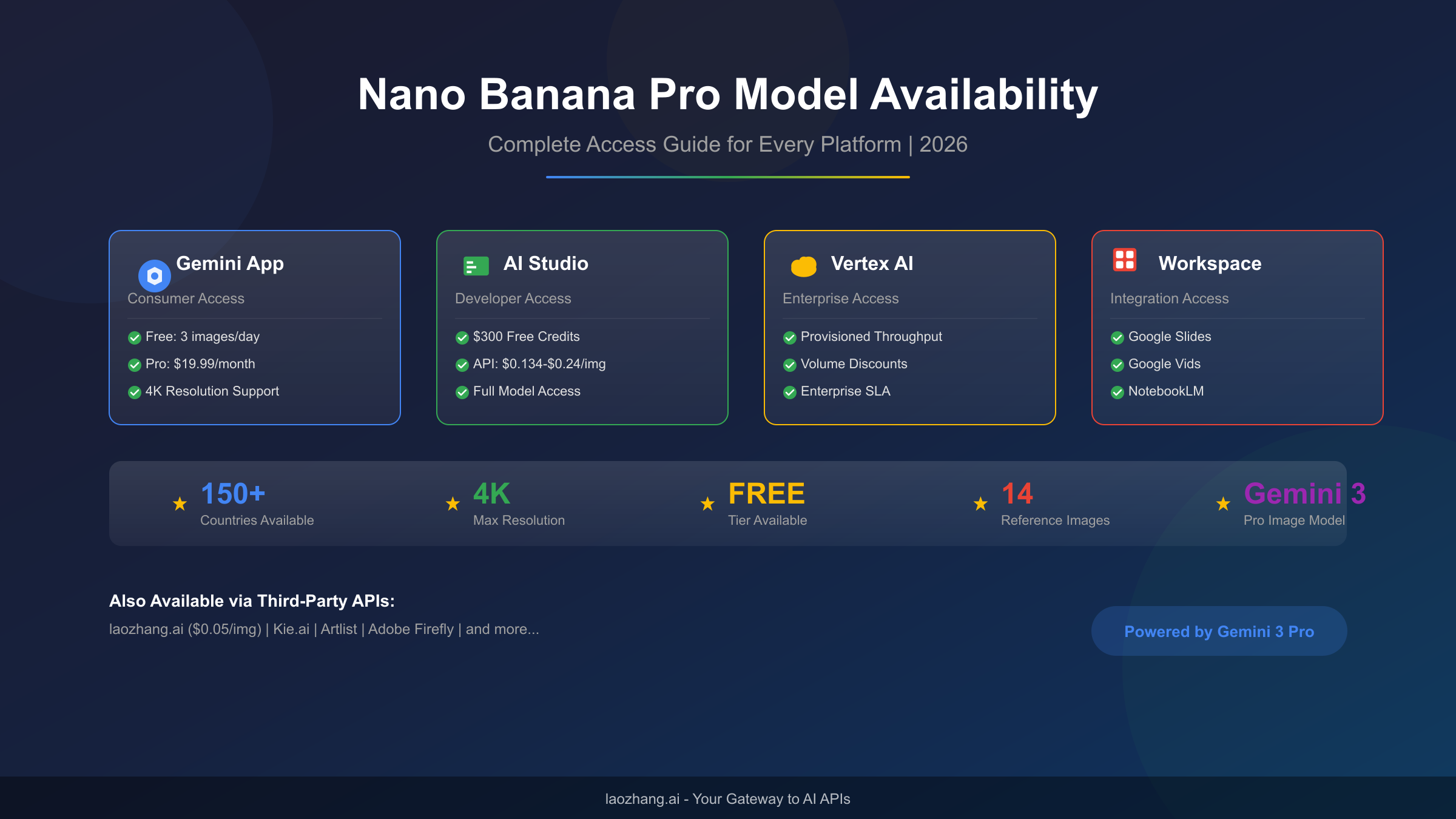
CCAPI is a unified multimodal AI API gateway that routes text, image, audio, and video generation across major providers, including OpenAI, Anthropic, and Google models. Instead of hardcoding separate SDKs and authentication flows for each provider, teams can define fallback chains inside CCAPI and let the gateway handle health checks, priority order, and cost-aware routing. CCAPI offers transparent pricing and zero vendor lock-in, which means your fallback strategy can evolve as providers change. You can review the available models at CCAPI models and check pricing details at CCAPI pricing.
2. How Nano Banana Pro Failures Happen and What They Cost
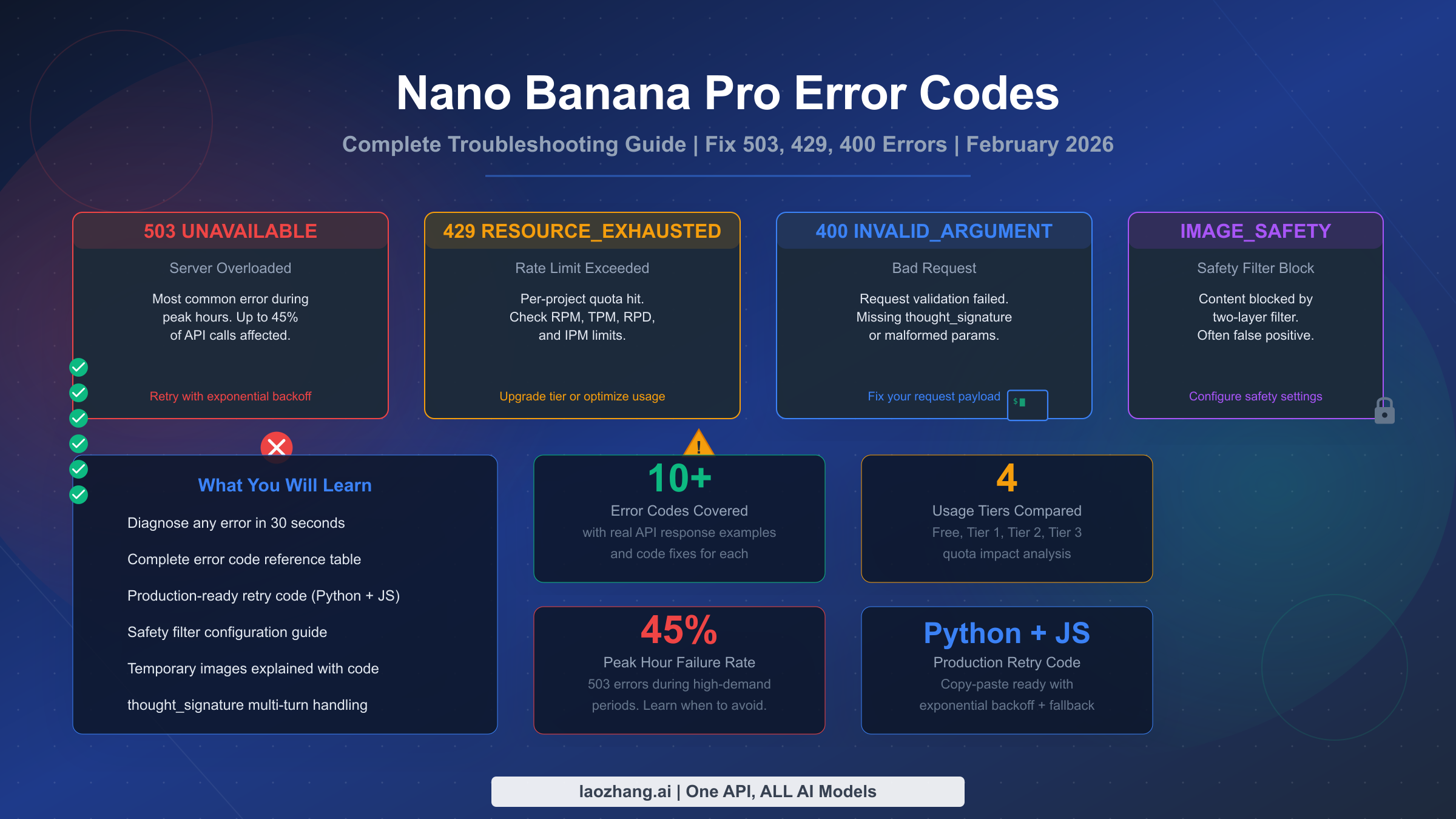
2.1 Common Failure Modes: Timeouts, Rate Limits, Region Outages, and Capacity Spikes
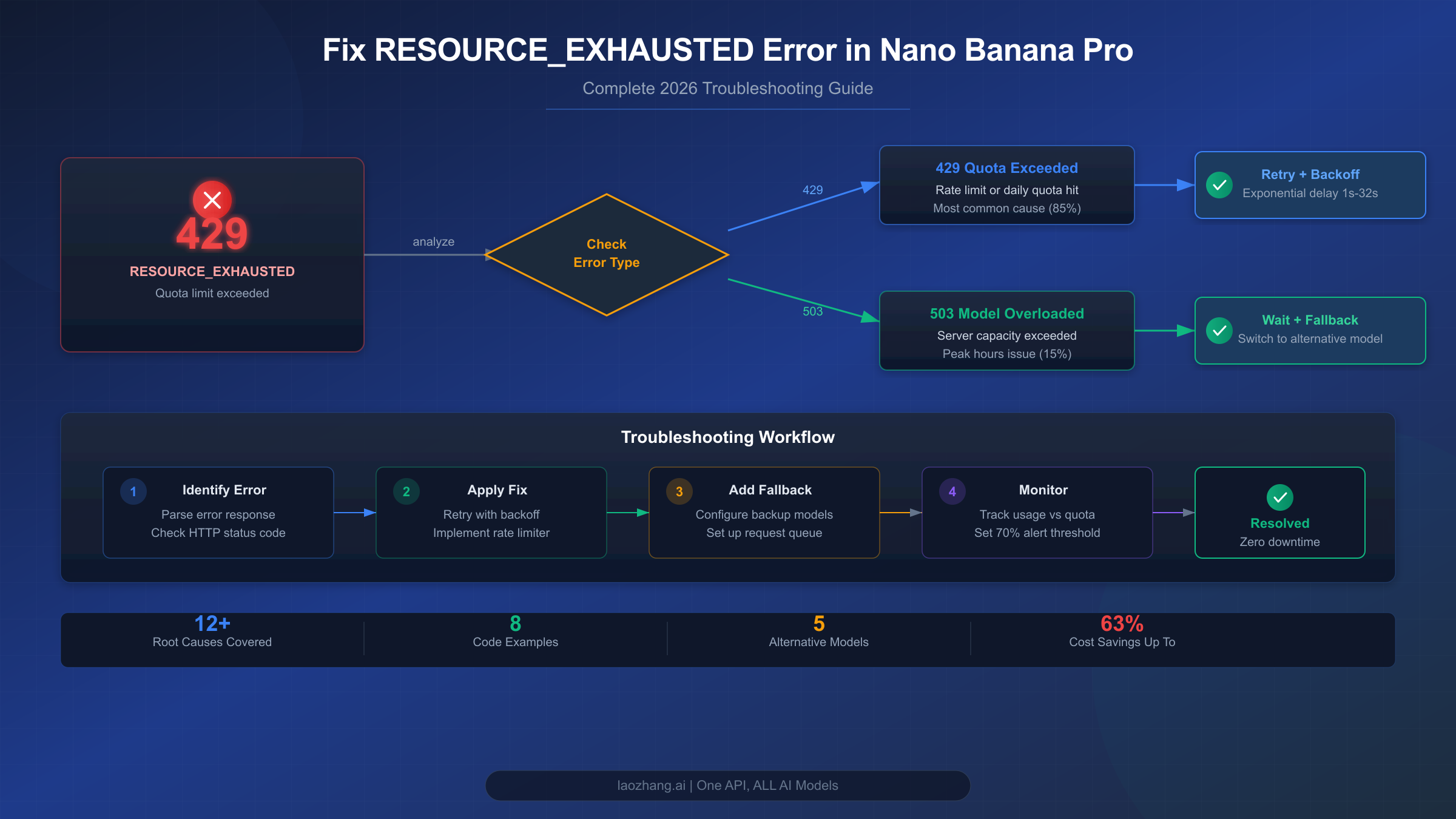
The most common triggers for a Nano Banana Pro fallback are 429 rate-limit errors, 5xx server errors, latency spikes above your timeout threshold, and regional availability gaps. Capacity spikes during peak hours can cause queuing delays that exceed your p95 latency budget. Region-specific outages may leave one provider endpoint unavailable while others remain healthy. A robust fallback system classifies these errors and chooses the appropriate response: immediate failover for 5xx, backoff-and-retry for 429, and regional rerouting for availability gaps.
2.2 Quality Drift, Deprecations, and Unexpected Safety Blocks
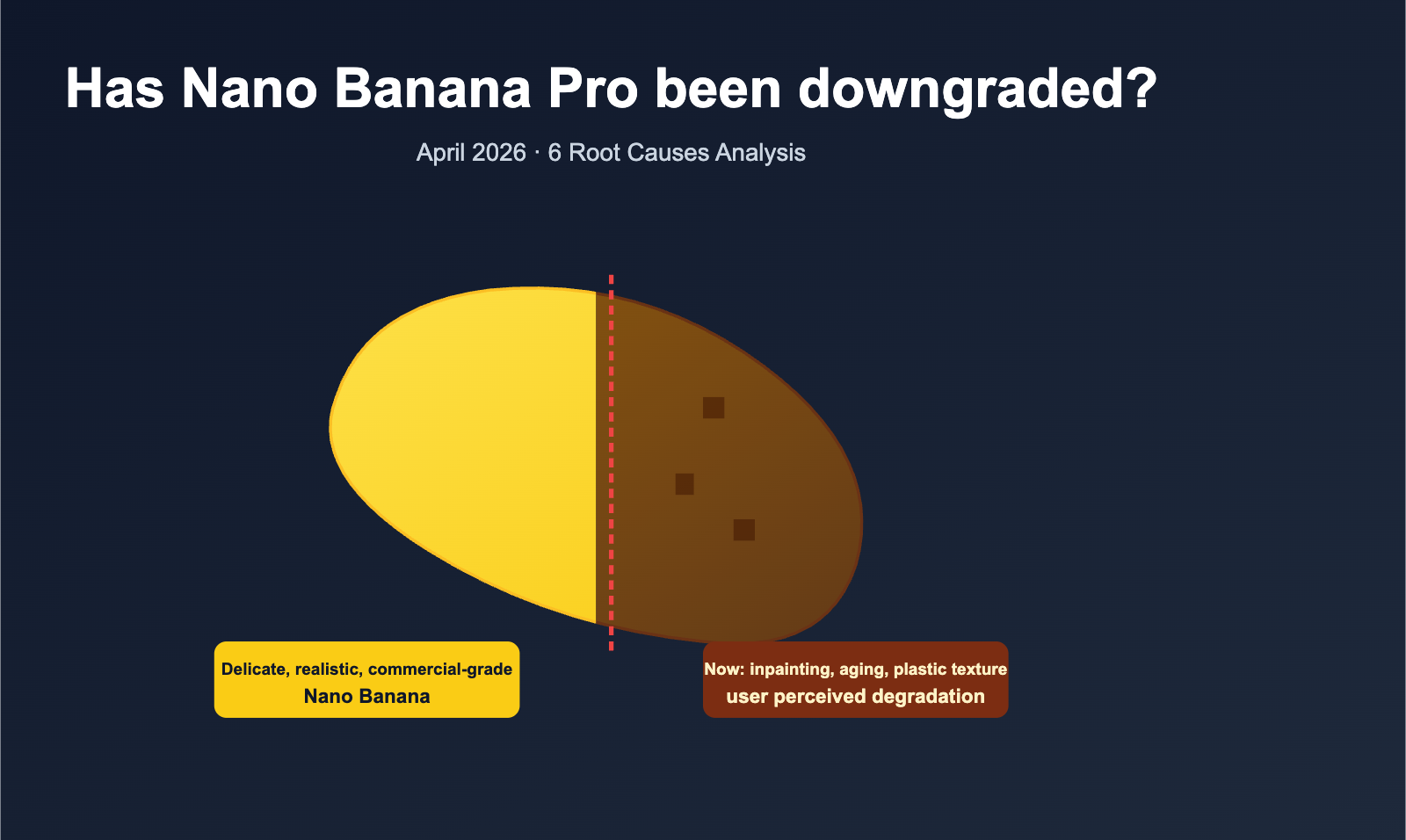
Less obvious failures include model version changes that alter output style, prompt incompatibility after a provider update, and stricter moderation filters that block previously valid jobs. A Nano Banana Pro alternative may produce different color profiles, aspect ratios, or text rendering. Deprecations can silently remove a model version, forcing a fallback even when the primary endpoint appears healthy. Safety blocks are particularly tricky because they may be probabilistic: the same prompt might succeed on one attempt and fail on the next. Your fallback logic must treat safety blocks as a distinct error class, not just another timeout.
2.3 Business Impact: Broken Image/Video Pipelines and Lost Revenue
Failed generation jobs have direct business costs. In e-commerce, missing product images delay catalog updates and reduce conversion. In media and advertising, broken video pipelines miss publishing schedules and campaign launches. In content workflows, manual intervention increases operational cost and slows time-to-market. Downtime also erodes user trust: if a creative tool fails repeatedly, users switch to a competitor. A Nano Banana Pro fallback model protects revenue by keeping generation pipelines flowing even when the primary provider stumbles.
2.4 Lessons from Production: What Teams Miss First
In practice, teams often monitor uptime but not fallback quality. They track whether the primary model is reachable, but they do not measure whether the fallback output meets the same schema, safety standards, or visual fidelity. A common mistake is ignoring output schema drift: the fallback model returns a different JSON structure, breaking downstream parsers. Another is cost inversion during incidents: fallback models may be more expensive per generation, and without budget caps, an outage can spike spend. Finally, many teams forget to test their fallback chain under realistic load, so the secondary provider saturates immediately when traffic shifts.
3. Designing a Multi-Provider Fallback Architecture
3.1 Primary, Secondary, and Tertiary Model Tiers
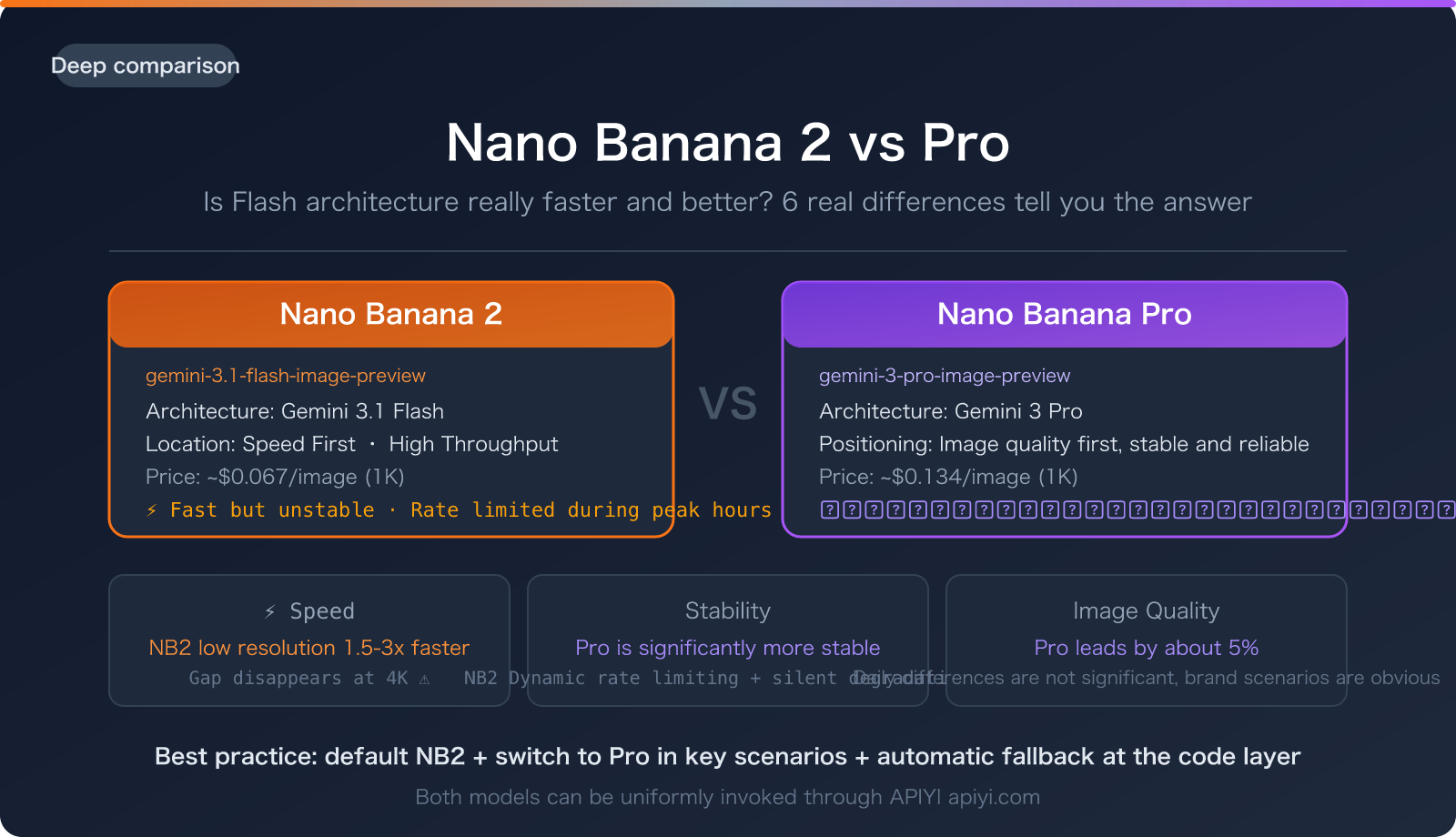
A production fallback architecture typically uses three tiers: primary, secondary, and tertiary. The primary is Nano Banana Pro, chosen for its quality or specific capabilities. The secondary is a comparable model from another provider, such as GPT Image or Seedream. The tertiary is a lower-cost, lower-latency model used for graceful degradation, perhaps with reduced resolution or shorter video duration. Tier depth depends on your recovery time objective. A shallow chain—primary plus one fallback—is simpler but offers less resilience during broad outages. A deep chain—three or more models—improves availability but increases complexity and consistency challenges.
3.2 Routing Logic: Health Checks, Error Codes, Latency Thresholds, and Budget Caps
Routing rules should consider error type, timeout threshold, cost limit, quality score, and provider health signals. For example, a 429 on the primary route triggers immediate failover to the secondary after a short jittered backoff. A 5xx triggers an immediate switch. A latency spike above 3 seconds for image generation triggers a fallback if the secondary can meet a 1.5-second p95. Budget caps prevent runaway costs: if the secondary costs more than $0.05 per image, route to the tertiary after 100 fallback generations in an hour. Provider health signals, such as CCAPI’s internal health scoring, can preemptively deprioritize a degrading endpoint.
3.3 Multi-Provider Fallback vs. Single-Provider Retries
Single-provider retries are cheaper and simpler, but they fail during provider-wide outages, regional incidents, and account-level rate limits. Multi-provider fallback uses vendor diversity to survive broad failures. During a major cloud outage, a single-provider strategy may be down for hours; a multi-provider strategy can shift traffic to a healthy provider in seconds. The trade-off is added complexity: different APIs, authentication schemes, and output formats. A gateway like CCAPI abstracts these differences, making multi-provider fallback as easy as configuring a priority list. You can manage API tokens and quotas at CCAPI console token and top up credits at CCAPI top-up.
3.4 Keeping Output Consistent Across Providers
Consistency is the hardest part of fallback. You must normalize schemas, adapt prompts, align image dimensions, unify safety settings, and wrap responses in a common envelope. For image generation, define a canonical output object with fields like image_url, width, height, format, safety_score, and provider. For video, include duration, fps, codec, and thumbnail_url. Prompt adaptation may require rewriting for each provider: some models respond better to negative prompts, others to style tokens. CCAPI can abstract provider differences by translating requests and responses into a unified format.
4. Choosing a Nano Banana Pro Alternative
4.1 Capability Matching: Text, Image, Audio, Video, and Multimodal Outputs
When selecting a Nano Banana Pro alternative, start with modality support. Does the fallback need to generate images only, or also video and audio? Check resolution, aspect ratio, duration limits, and input formats. For example, a fallback for product images may need 2048x2048 output and support for transparent backgrounds. A fallback for video may need 1080p at 30fps and a maximum duration of 10 seconds. Some models, like Vidu or Seedance, specialize in text-to-video, while others focus on image generation. CCAPI’s model catalog lets you compare capabilities across providers.
4.2 Quality Benchmarks and Prompt Compatibility
Before promoting a fallback model to production, test prompt fidelity, style consistency, and output quality. Use a benchmark set of prompts that represent your real workload. Measure prompt adherence, visual fidelity, consistency across seeds, and safety compliance. A common mistake is testing only with simple prompts. Real prompts include edge cases: long descriptions, multiple subjects, text rendering, and negative constraints. Run A/B tests between Nano Banana Pro and the candidate fallback, and track human ratings or automated similarity scores.
4.3 Cost, Latency, Throughput, and Quota Comparison
Compare providers by per-generation cost, concurrency limits, cold-start behavior, and regional latency. A fallback that is cheap but slow may not meet your SLO. A fallback with high throughput but strict rate limits may saturate during traffic spikes. Build a comparison table that includes p50 and p95 latency, cost per successful generation, maximum concurrent requests, and quota reset windows. Remember that cost includes retries: a cheap model that fails often may cost more than an expensive model that succeeds on the first try.
4.4 API Compatibility and Migration Effort
SDK differences, authentication patterns, request/response shapes, and error codes all affect migration effort. If you use a unified gateway like CCAPI, migration effort drops dramatically because you keep the same API surface while switching the underlying model. You can integrate via an MCP server at CCAPI MCP for tool-based workflows. Without a gateway, each new provider requires custom code, increasing the risk of bugs and slowing incident response.
5. Step-by-Step: Configure a Fallback Model for Nano Banana Pro
5.1 Prerequisites: API Keys, Quotas, Observability, and CCAPI Setup
Before configuring fallback, ensure you have provider accounts, API keys, sufficient rate limits, monitoring, alerting, and access to a gateway such as CCAPI. Define your SLOs: acceptable p95 latency, maximum error rate, and cost per successful generation. Set up observability to capture provider, model, latency, error code, and fallback reason for every request. Without this data, you cannot tune routing rules.
5.2 Define the Primary Nano Banana Pro Route
Set Nano Banana Pro as the primary model and document its expected latency, output types, and failure signals. For example, image generation may have a p95 of 2.5 seconds, while video generation may take 30 seconds. Define which error codes trigger fallback: 429, 500, 502, 503, 504, and timeout exceptions. Also define safety-block handling: if the primary returns a safety rejection, should you retry the same provider or immediately failover?
5.3 Add Fallback Models and Priority Order
Configure secondary and tertiary models with a clear priority order. Avoid circular fallback routes: if Model A falls back to Model B, Model B should not fall back to Model A. Use a directed acyclic graph for fallback chains. For example: Nano Banana Pro → GPT Image → Seedream → static placeholder. Each step should have its own timeout, retry policy, and cost cap. A gateway can enforce this order automatically.
5.4 Map Parameters, Schemas, and Safety Settings
Translate prompts, image settings, safety thresholds, and response schemas so fallback outputs remain usable. Normalize parameters like width, height, steps, guidance_scale, and seed. Map safety settings carefully: a fallback model with stricter moderation may reject prompts that the primary accepted. Consider lowering strictness only if it complies with your policies and provider terms.
5.5 Handle Streaming, Webhooks, and Long-Running Jobs
Fallback behavior differs for streaming responses, asynchronous generation, webhook retries, and job queues. For streaming, you may need to buffer and restart the stream on the fallback provider. For long-running video jobs, use job IDs and polling. If a webhook fails, retry with exponential backoff and switch providers if the job is still pending after a threshold.
5.6 Implement Retry, Backoff, and Circuit-Breaker Rules
Combine exponential backoff, jitter, circuit breakers, and fallback switches to avoid thundering herds. Use a circuit breaker that opens after N consecutive failures and closes after a cool-down period. Add jitter to backoff to prevent synchronized retries. Here is a simple Python example:
import random
import time

def backoff(attempt, base=0.5, cap=8.0):
    delay = min(cap, base * (2 ** attempt))
    return random.uniform(0, delay)

for attempt in range(5):
    try:
        response = call_primary()
        break
    except RateLimitError:
        time.sleep(backoff(attempt))
    except ServerError:
        switch_to_fallback()
        break
6. Testing and Validating Your Fallback Model
6.1 Synthetic Failure Injection and Chaos Testing
Simulate provider outages, rate limits, timeouts, and malformed responses before real incidents occur. Use chaos engineering tools to inject failures at the gateway level. Test how quickly your system detects a failure, switches providers, and recovers. Measure failover latency and success rate under controlled conditions.
6.2 A/B Quality Checks Between Primary and Fallback Outputs
Define quality metrics for image, video, and text outputs: prompt adherence, visual fidelity, consistency, and safety compliance. Run A/B tests with real prompts and human raters or automated scoring. Track differences in color, composition, and text rendering. Set a quality tolerance threshold: if the fallback is more than 10% worse on key metrics, it may not be production-safe.
6.3 Load Testing Rate Limits and Failover Latency
Measure how quickly fallback activates under concurrent load and whether secondary providers can absorb traffic spikes. Load test with 2x, 5x, and 10x normal traffic. Check if the fallback provider’s rate limits cause cascading failures. Monitor p95 and p99 failover latency.
6.4 Acceptance Criteria Before Production
List pass/fail criteria for failover success rate, time to recovery, cost impact, and output quality tolerance. For example: failover success rate > 99.5%, time to recovery < 5 seconds, cost increase < 20% during incidents, and quality score drop < 5%. Do not promote a fallback until it passes all criteria.
7. Monitoring, Observability, and Incident Response
7.1 Metrics That Matter: Failover Rate, Error Budget, Time to Recovery
Track fallback frequency, primary success rate, failover latency, provider error distribution, and recovery time. Set an error budget for fallback events. If fallback rate exceeds 1% of requests, investigate provider health. Monitor cost per provider during incidents to catch cost inversion.
7.2 Logging Prompts and Responses Safely
Balance observability with privacy. Redact PII, sample multimodal outputs, and set retention policies. Store prompt hashes instead of raw prompts when possible. For images and video, store thumbnails or embeddings rather than full assets unless required for debugging.
7.3 Alerts, Dashboards, and Runbooks
Design alerts for provider degradation, fallback saturation, cost spikes, and quality regressions. Include runbooks for manual override: how to disable a fallback, force a provider, or drain traffic. Dashboards should show primary vs. fallback distribution, latency heatmaps, and cost trends.
7.4 Post-Incident Reviews for a Resilient AI API
Use incident reviews to update fallback priorities, thresholds, and provider contracts. Treat every outage as a resilience test. Document what failed, what worked, and what changed. Share lessons across teams.
8. Cost, Performance, and Quality Trade-Offs
8.1 When Cheaper Fallbacks Harm Output Quality
Lower-cost models can increase retries, manual review, and brand risk. Not every fallback is production-safe. A cheap image model may produce artifacts that require human correction, eroding the cost savings. Always measure total cost of ownership, including review and rework.
8.2 Optimizing Token, Image, and Video Costs Across Providers
Use cost-aware routing, budget caps, caching, and transparent pricing. CCAPI’s transparent pricing helps teams compare provider spend. Route non-critical jobs to cheaper models and reserve premium models for high-value requests. Implement budget caps per provider and per day.
8.3 Caching, Batching, and Queueing During Outages
Reduce fallback pressure through prompt caching, batching, queue prioritization, and graceful degradation. Cache identical prompts or similar embeddings. Batch small jobs. Prioritize revenue-critical requests during outages. Degrade gracefully by reducing resolution or duration.
8.4 Performance Benchmarks for Fallback Chains
Benchmark p50/p95 latency, failover success rate, output quality score, and cost per successful generation. Compare chains: single-provider retry vs. two-provider fallback vs. three-provider fallback. Publish internal benchmarks to guide architecture decisions.
9. Real-World Implementation Patterns and Case Studies
9.1 E-commerce Image Generation Fallback Scenario
An e-commerce team uses Nano Banana Pro for product images. When the primary returns 429 during a holiday sale, the system fails over to GPT Image. The fallback generates images at the same resolution and aspect ratio. The catalog update completes on time, and conversion is unaffected. The team uses CCAPI to manage tokens and quotas.
9.2 Media Pipeline with Multi-Provider Fallback
A media company routes video and image generation across Nano Banana Pro, Vidu, and Seedance. If one provider degrades, traffic shifts to another. Publishing schedules remain intact. The team monitors failover rate and quality scores weekly.
9.3 Enterprise Content Moderation and Safety Failover
In regulated industries, safety filters and compliance rules affect fallback choices. A fallback model with different moderation policies may block content that the primary allows. The team configures stricter safety settings and logs all safety decisions for audit.
9.4 Lessons from Production: What Breaks First
Fallback quota exhaustion, prompt drift, schema mismatch, and hidden moderation differences are the most common production issues. Teams often forget to increase fallback quotas. Prompt drift occurs when the fallback model interprets prompts differently. Schema mismatch breaks downstream parsers. Hidden moderation differences cause unexpected blocks.
10. Advanced Techniques for AI Model Fallback
10.1 Semantic Fallbacks: Using Smaller Models for Diagnostics
Use a smaller model to triage prompts, detect malformed requests, or generate fallback metadata before invoking expensive models. This reduces cost and latency while improving reliability.
10.2 Hybrid Routing with Prompt Rewriting
Adapt prompts for each fallback provider to preserve intent and output quality. Use a prompt rewriter that adds provider-specific style tokens or negative prompts.
10.3 Multi-Region and Multi-Cloud Failover
Cover geographic routing, data residency, and provider-region outage isolation. Route requests to the nearest healthy region. Ensure compliance with data residency requirements.
10.4 Self-Healing API Gateways and Policy Engines
Policy-driven routing, automated health scoring, and dynamic fallback ranking enable self-healing gateways. CCAPI’s unified gateway can automatically deprioritize unhealthy providers and rebalance traffic.
11. Security, Compliance, and Data Governance
11.1 Data Residency and Provider Terms
Fallback routing can move data across regions or vendors, creating compliance risk. Review provider terms and data processing agreements. Ensure fallback providers meet your residency requirements.
11.2 PII Handling in Fallback Prompts
Redact, tokenize, and enforce policies before prompts are sent to secondary providers. Never send raw PII to a fallback unless the provider is approved for that data class.
11.3 Audit Trails and Access Control
Maintain audit trails for every fallback event: who triggered it, which provider was used, and what data was sent. Enforce role-based access control for fallback configuration and manual overrides.
Conclusion
A Nano Banana Pro fallback model is essential for production-grade AI generation. It protects revenue, preserves user trust, and keeps image, video, and multimodal pipelines running when the primary provider fails. By designing multi-provider fallback tiers, implementing robust routing logic, testing with chaos engineering, and monitoring failover metrics, teams can build resilient AI APIs that survive real-world outages. A unified gateway like CCAPI simplifies fallback management with transparent pricing, zero vendor lock-in, and access to models from OpenAI, Anthropic, Google, and others. Start by defining your primary route, adding fallback models, and validating quality before production. Your future self—and your users—will thank you.