
How to Choose the Best AI Model (Live, in Your Editor)

How to Choose the Best AI Model for Your Editor: A Deep Dive
Choosing the best AI model for your editor is more than picking the newest model release or the one with the highest benchmark score. It depends on your workflow, your codebase, your latency tolerance, and your budget. In this deep-dive, I’ll walk through a practical framework for selecting and testing models inside your editor, covering the technical metrics that matter, the pitfalls you’ll likely hit, and how a unified AI gateway like CCAPI can make the process much easier.
Start With Your Editor’s Core Requirements
Before you think about model names, think about what your editor actually needs to do. Autocomplete requires low latency and high precision. Inline chat needs coherent long-form reasoning. Refactoring requires cross-file understanding. Code review needs careful diff awareness. Agentic task execution needs tool use and multi-step planning. The best AI model for one of these can be a terrible fit for another.
For example, in practice, using a large, slow reasoning model for every inline completion is a common mistake. The completion takes so long that you’ve already typed the code yourself by the time it responds. A faster, smaller model with a well-tuned context window can feel far more useful. So start by listing the tasks that matter to you, and categorize them by complexity and speed requirements.
Identify the Tasks Your Editor Must Handle
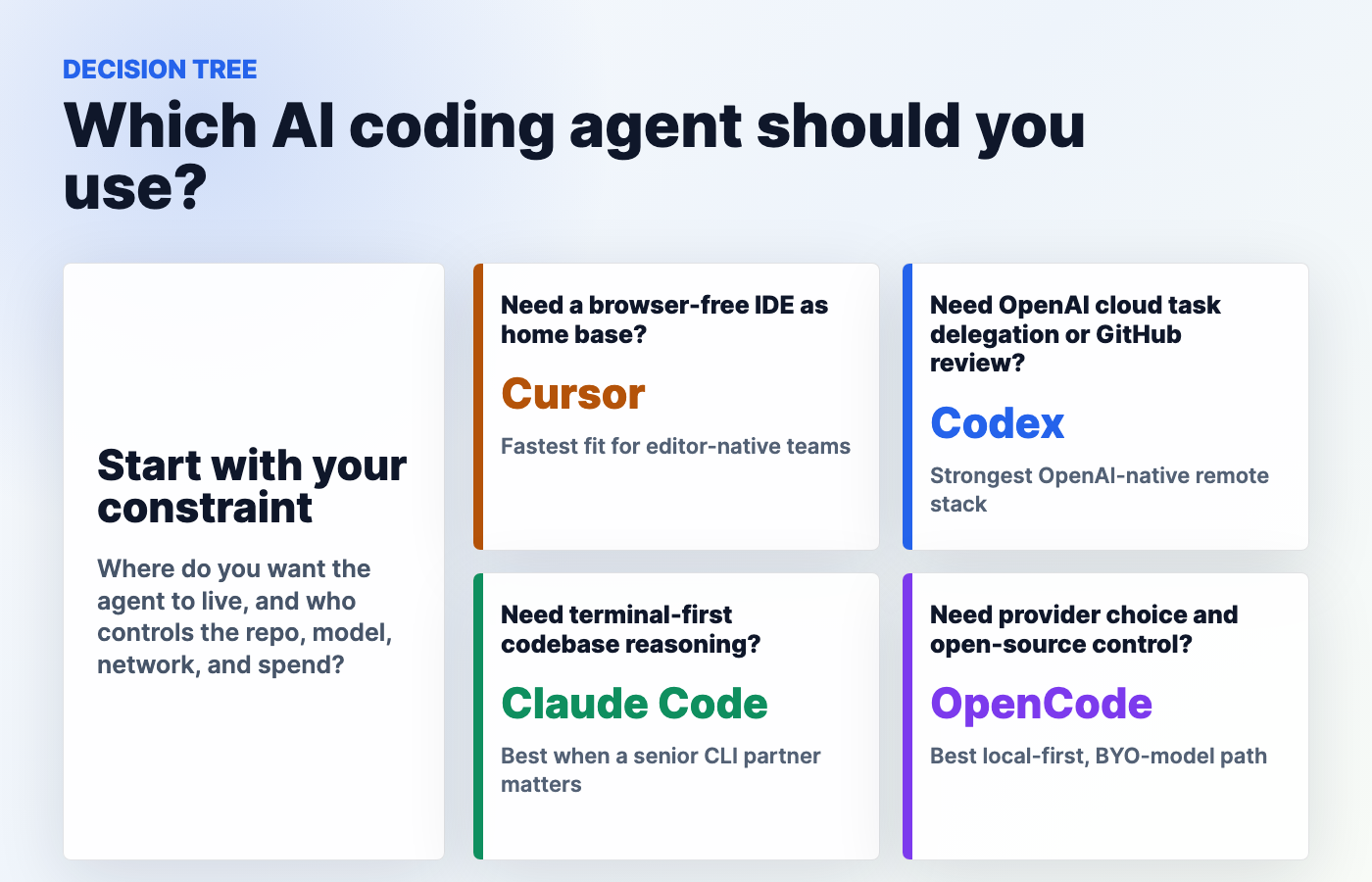
Here’s a quick reference for how different editor tasks map to model requirements:
| Editor Task | Primary Requirement | Model Direction |
|---|---|---|
| Autocomplete | Low latency, high precision | Small, fast models |
| Inline chat | Code understanding, coherent explanations | Large language models with strong code training |
| Refactoring | Cross-file context, step-by-step planning | Reasoning-tuned models |
| Code review | Diff awareness, clear feedback | Models with strong instruction following |
| Agentic workflows | Long-horizon planning, tool use | Frontier models with agentic support |
Defining these tasks upfront prevents you from chasing a single “best” model when you actually need two or three different models for different jobs.
Set Success Metrics: Speed, Accuracy, and Cost
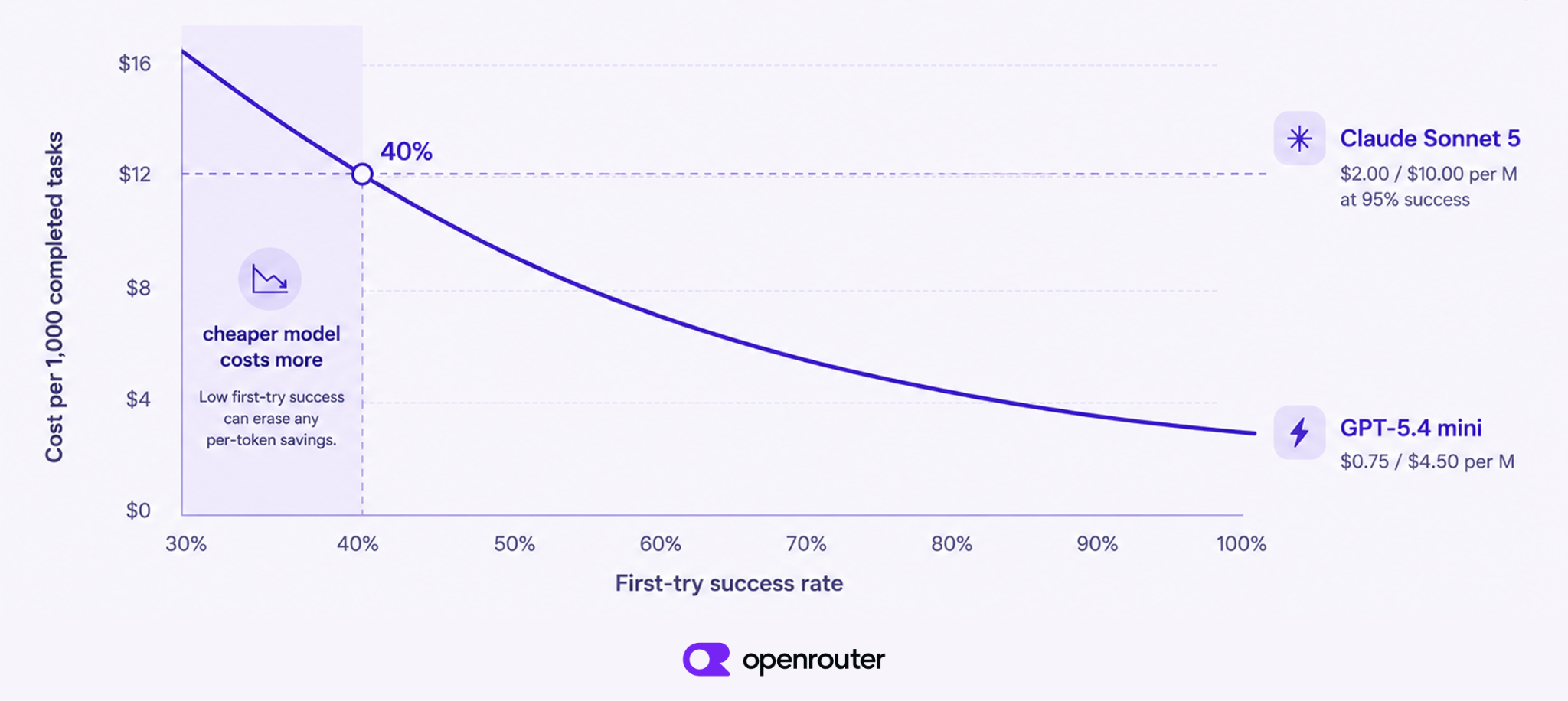
Before testing, define measurable outcomes. Without success metrics, every model looks good in a demo and frustrating in production. Track metrics such as:
- Suggestion acceptance rate – How often do you actually keep the model’s completion?
- Time to first token (TTFT) – How long before the model starts responding?
- Token spend per task – The real cost to complete a task, not just the per-token price.
- Task success rate – For refactoring or agentic tasks, does the model finish the job?
- Cost per day – Is the model affordable at your actual usage scale?
These metrics become your yardstick for every comparison. A model with a 30% acceptance rate may take longer to correct than a model with a 50% acceptance rate that costs twice as much.
Understand Context Window and Model Limits
Context window is often touted as the most important specification, but larger isn’t always better. A bigger context window means more prompt processing, higher cost, and a higher chance of including irrelevant files. In practice, the best model for your editor is one that works well with the context you actually send.
Many modern editors use retrieval or manual file selection to keep prompts tight. If your editor sends your entire repository with every request, a 200k context will not save you — it will slow you down. Pay attention to how your editor constructs prompts, and choose a model that balances context length, speed, and cost for that specific context strategy.
How to Choose the Best AI Model for Your Editor
The core question is not “Which model is best overall?” but “Which model is best for the way I work?” That answer changes as your workflow evolves.
Match Model Capabilities to Your Daily Workflow
Different providers have different strengths. OpenAI, Anthropic, and Google each offer model families that specialize in reasoning, code generation, or multimodal understanding. According to the official OpenAI model documentation, the GPT series covers broad code and language tasks, while the o-series models focus on multi-step reasoning. Anthropic’s Claude models are known for thoughtful long-context handling and strong agentic tool use. Google’s Gemini models lean heavily into multimodal understanding and long context windows.
For syntax-heavy work, a large language model with strong code training is a safe starting point. For tasks like converting a screenshot into HTML, you need a multimodal model that can actually see the image. For example, image-focused models like nano banana are excellent for generation and editing, but they’re not the right choice for refactoring a TypeScript function. The key is to map model strengths to the tasks you perform most often.
Evaluate Code-Focused vs. Multimodal Models
Most editor work is text in, text out. But you may paste a UI bug screenshot and ask for a fix, or design a component and ask for a matching implementation. Multimodal models can process images, audio, and video, which is a huge advantage for documentation-heavy and design-heavy workflows.
In practice, however, text-and-code-only models are often faster and cheaper for routine editor tasks. If you rarely need image understanding, choosing a multimodal frontier model for every request is wasteful. Instead, keep a fast code-focused model as your default, and route multimodal prompts to a model that supports images when necessary.
Factor in Multi-Provider AI Access for Ongoing Flexibility
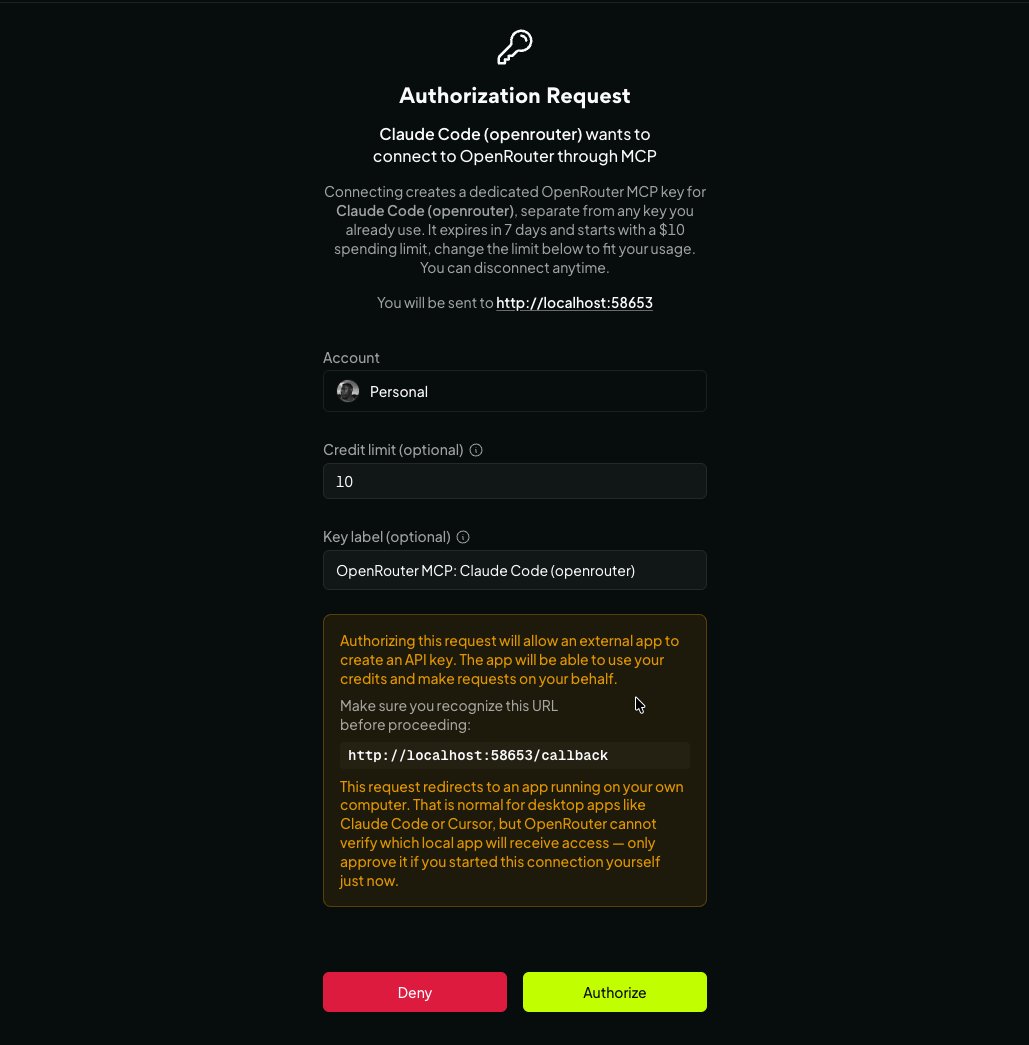
Vendor lock-in is a real hidden cost. If you build your editor integration around one provider, every price change, model retirement, or outage becomes an emergency. A multi-provider AI strategy avoids this problem by letting you switch between models as your needs change.
This is where a unified AI API like CCAPI becomes valuable. You integrate once and get access to many providers. If a new model arrives and performs better for your workflow, you switch a string in your configuration, not your entire integration. As an OpenRouter alternative, CCAPI adds governance, transparent pricing, and a stable endpoint, which makes it practical for teams that need both flexibility and control.
A Practical AI Model Selection Guide for Live Testing
Benchmarks are useful context, but the real test happens inside your editor with your code, your prompts, and your context window.
Live Comparison: Choose the Best AI Model in Real Time
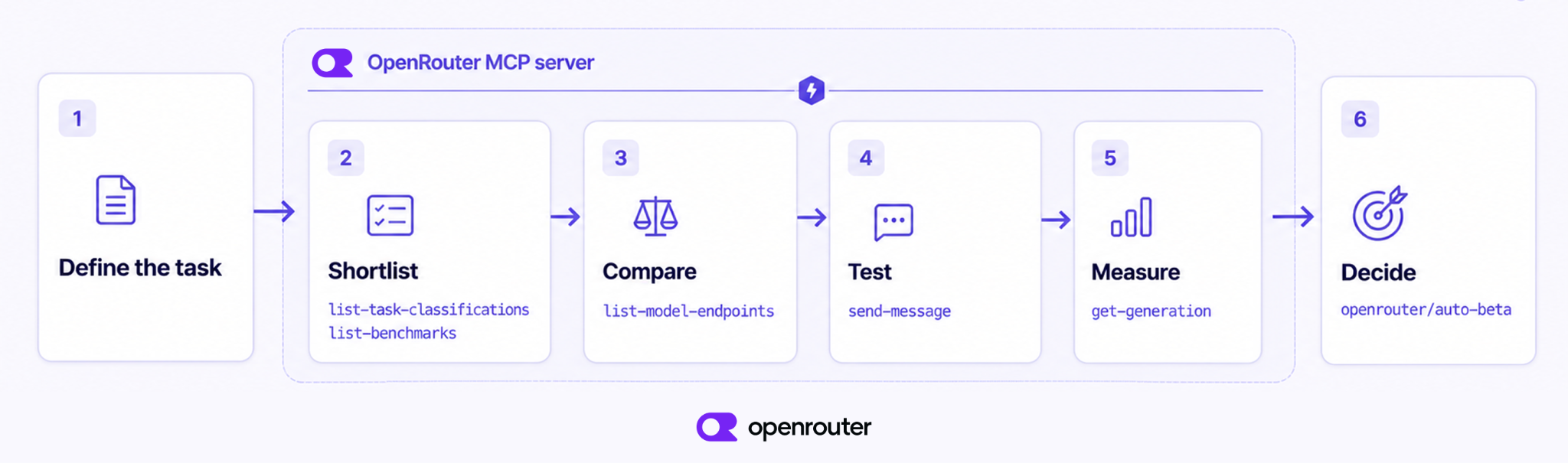
Create a repeatable live-testing workflow. Write prompts that reflect your actual tasks, not generic “write a function” examples. Use snippets from your repository, your style guide, and your project structure. Then run the same prompts through multiple models and compare outputs.
Here’s a simple pattern you can use with any OpenAI-compatible endpoint:
import os
from openai import OpenAI

client = OpenAI(
    api_key=os.getenv("MODEL_API_KEY"),
    base_url=os.getenv("MODEL_BASE_URL"),
)

def ask(model: str, prompt: str) -> str:
    response = client.chat.completions.create(
        model=model,
        messages=[{"role": "user", "content": prompt}],
    )
    return response.choices[0].message.content

# Run this with several models and record elapsed time,
# token usage, and output quality for each one.
Most unified APIs, including CCAPI, expose an OpenAI-compatible interface, so you can use the same client code across multiple providers. Browse the models directory to see what’s available and build a shortlist for testing.
Compare AI Models in a Real Workflow, Not Just Benchmarks
Generic benchmark scores measure specific capabilities like math, coding puzzles, or multi-step reasoning. They don’t measure how a model handles your project’s naming conventions, legacy patterns, or that internal library that only your team understands.
In practice, I’ve seen models with impressive benchmark scores fail on simple refactoring tasks because they couldn’t handle a long, messy file with mixed conventions. Conversely, I’ve seen smaller models surprise everyone by producing clean, idiomatic edits in a codebase they were specifically tuned for. Always run a live comparison in a real workflow before making a final decision.
Use a Unified AI API to Switch Providers Instantly
A unified AI API enables instant A/B testing in your editor. Instead of rewriting integration code for each provider, you change the model parameter and compare results. With transparent pricing and no vendor lock-in, you can test new models as they are released without waiting for your platform team to build a new integration.
For example, with CCAPI you can compare a frontier reasoning model, a fast lightweight model, and a specialized model like the Kimi API in the same session. You can also track your spending in real time and top up as needed through the API token page or top-up console.
Technical Deep Dive: Model Selection Criteria
Once you have a shortlist, the next step is to dig into the operational factors that determine whether a model feels great inside an editor.
Under the Hood: Latency, Throughput, and Token Costs
The editor experience is shaped by three main operational metrics:
- Time to first token (TTFT) – For autocomplete and inline chat, slow TTFT feels broken. This is often more important than total generation speed.
- Tokens per second (TPS) – This matters for long responses, like generating a full file or walking through a multi-step code review.
- Context processing efficiency – When your prompt contains 50,000 tokens, the model needs to process that entire prompt before generating anything. On a non-batched endpoint, a huge context can mean several seconds of prefill time.
Cost per task is more useful than price per token. A cheap model that needs ten calls to get the right answer is often more expensive than a capable model that does it in one. When you calculate cost, include input, output, and cache behavior. That’s why transparent pricing matters.
Model Specialization Across OpenAI, Anthropic, and Google
Let’s break down the general patterns rather than crown a single champion:
- OpenAI GPT and o-series – Broad general capability with strong reasoning variants. Good for agentic workflows and complex code generation.
- Anthropic Claude – Excellent at long context, nuanced instruction following, and tool use. Many teams use Claude models inside agentic coding tools like Claude Code.
- Google Gemini – Strong multimodal skills and large context windows. Useful when you need image understanding alongside text and code.
There are also specialized providers worth considering. For example, a low-cost model like the DeepSeek API can handle routine code completion at scale, while the Kimi API is a solid choice for long-context summarization tasks. The right approach is to choose based on task type rather than model brand.
Compare AI Models With Transparent Pricing and No Lock-In
When you’re comparing models, look for providers that publish per-token pricing and make billing predictable. Some providers charge separately for input tokens, output tokens, cache hits, and cache misses. Without visibility, you can end up with a surprising bill at the end of the month.
A unified AI gateway can help you compare models by presenting cost per request across providers. CCAPI, for example, aggregates usage in one place, so you can see which model is actually the most cost-effective for your workload. The pricing page gives you a clear overview of what to expect. This level of transparency is essential when you’re making a long-term AI strategy decision.
Real-World Experience and Common Pitfalls
No model selection guide is complete without honest advice on what goes wrong. Here are the mistakes I see most often when developers try to choose the best AI model for their editor.
Pitfalls When You Choose the Best AI Model Without Live Editor Testing
Choosing by marketing hype is the biggest trap. A new model is announced, everyone flocks to it, and then the complaints about latency and cost start. The model is impressive in demos, but in a real editor with real context, it may be too slow or too expensive to use all day.
Another common mistake is relying solely on public benchmark scores. Benchmarks don’t include your codebase, your prompt style, or your editor’s context packing. Without live testing, you’re guessing. The editor is the true testing ground.
Common Mistakes When Selecting a Model for Coding and Writing
Workflow-specific mistakes are just as common. Many developers use the exact same prompt for every model, even though each model has a different instruction-tuning style. Others forget to adjust temperature: for code, a lower temperature like 0.2 or 0.3 usually produces more deterministic and reliable results.
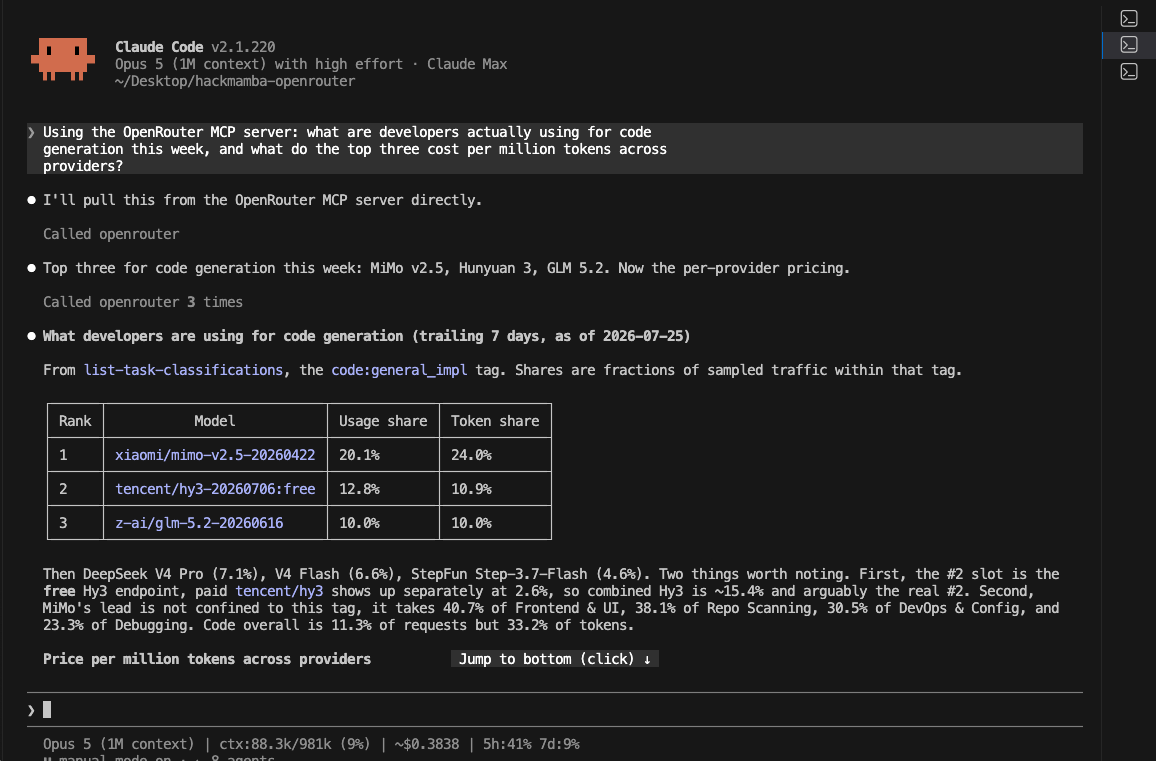
Another issue is overlooking small, fast models for simple tasks. A lightweight model can handle many autocomplete and boilerplate tasks better than a frontier model, and at a fraction of the cost. When using agentic editors like Claude Code, the model’s ability to use external tools via an MCP server becomes just as important as raw code generation. If your workflow depends on custom tools, test those integrations early.
Lessons From Production: Single Model vs. Multi-Model Strategy
In production, a single model is enough if your workload is narrow and the model handles it well. But for most teams, a multi-model strategy is more pragmatic. Use a large reasoning model for planning and refactoring, a fast small model for autocomplete, and a specialized model for long-document summarization or multimodal tasks.
A unified gateway makes this strategy practical. You can set a default model for general use, route specific tasks to alternative models, and change your routing logic as new models are released. This approach reduces the risk of model lock-in and keeps your editor workflow flexible.
Industry Best Practices and Trust Signals
When you choose an AI gateway or provider for your editor, trust matters just as much as model quality.
What Experts Look for in an AI Model Gateway
The best AI model gateway should be boring in the best way: stable, fast, and predictable. Look for uptime guarantees, robust API security, clear rate limits, and documentation that doesn’t hide important details. If the gateway goes down, your autocomplete goes silent, so reliability is non-negotiable.
A business-grade gateway like CCAPI is designed for these requirements. It provides a consistent API layer across multiple providers, so teams can build integration once and keep using the models they need. That’s why many teams view CCAPI as a serious OpenRouter alternative for production workloads.
Performance Benchmarks and Cost Transparency
Don’t trust benchmarks blindly. Validate provider performance with your own editor workloads. Build a test set of 20 tasks from your codebase, run every candidate model through the same prompts, and measure elapsed time, token usage, and output quality. This gives you a decision matrix based on evidence.
Cost transparency should also be part of your evaluation. If a provider cannot show you a cost per request or a clear per-token breakdown, that’s a red flag. Transparent per-token pricing and predictable billing allow you to make trade-offs with confidence.
Security, Privacy, and Governance Considerations
When AI models process code inside your editor, they may see proprietary logic, API keys, or customer data. Before sending any prompt to a model provider, understand their data retention policy. Some providers train on user data by default; others offer zero-retention agreements. This is especially important in regulated industries.
API key management is another critical part of AI governance. Use per-user keys, rotate them regularly, and apply rate limits where needed. A unified AI gateway can help by providing a single governance layer across providers. You set rules once, and they apply no matter which model you call. This reduces the risk of developers bypassing corporate policy by pasting code into a random chat window.
Conclusion
Choosing the best AI model for your editor is not a one-time decision. It’s an ongoing evaluation that depends on your tasks, your context window, your latency tolerance, and your budget. Start with your editor requirements, define measurable success metrics, run live tests with real prompts, and track operational factors like token cost and response time.
Don’t trust marketing hype or static benchmarks. Use a unified AI gateway like CCAPI to keep your options open, manage costs, and enforce governance across providers. In the end, the best model is the one that makes you faster, helps you ship better code, and stays within your budget.