
Build a Reliable Tool-Calling Agent Loop on OpenRouter
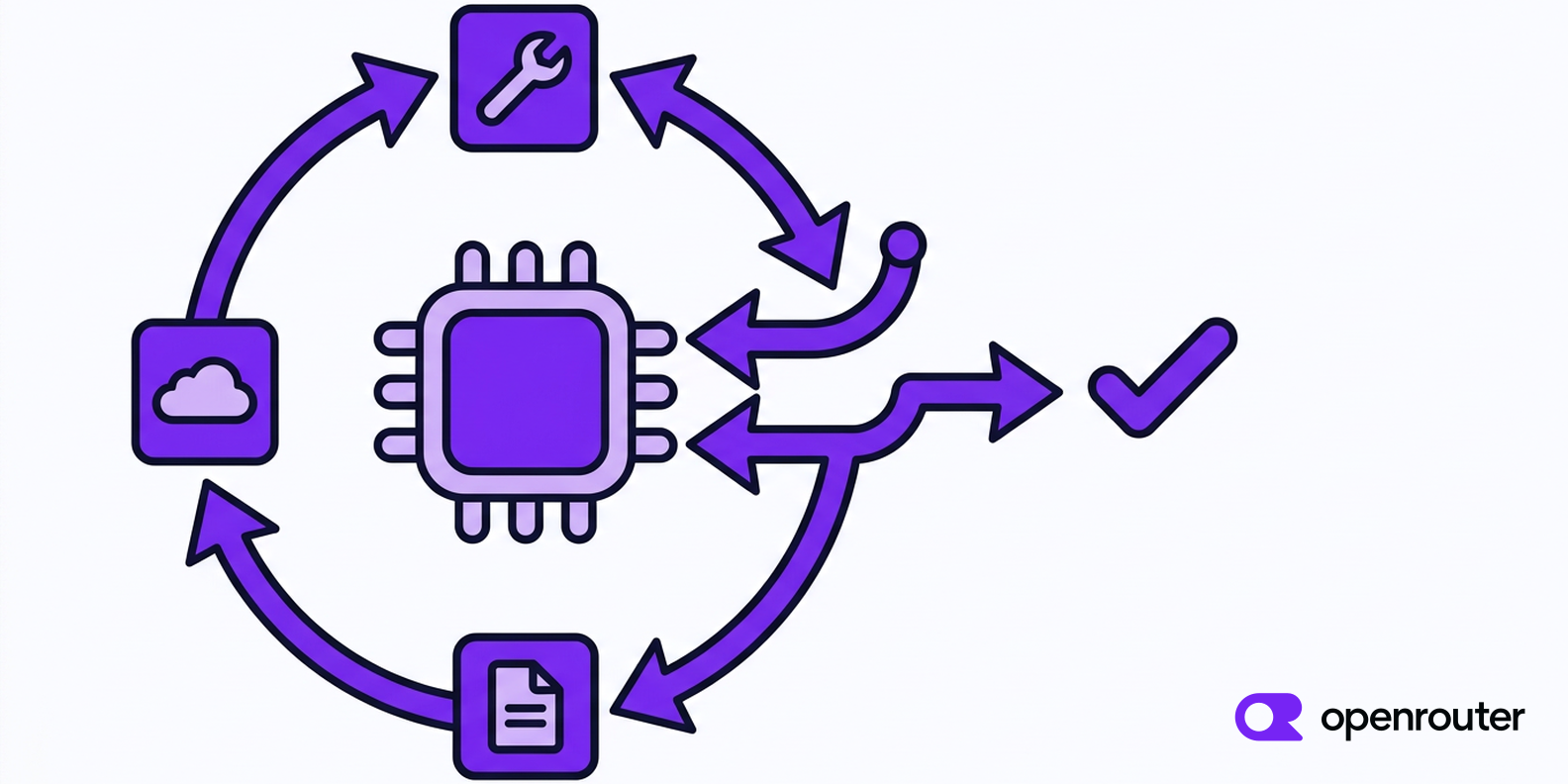
Building a Reliable Tool-Calling Agent Loop Across Multi-Provider AI APIs
The tool-calling agent loop is the execution engine behind modern AI agents: it observes input, plans an action, selects a tool, runs it, inspects the result, and decides what to do next. When that loop is reliable, developers can ship agents that actually complete work. When it is fragile, even a brilliant model produces broken outputs, runaway costs, and production incidents. This deep dive examines how to build a reliable tool-calling agent loop across multi-provider AI APIs, including OpenRouter-style routing and a unified gateway such as CCAPI as an openrouter alternative.
Reliability in this context does not mean the model is always correct. It means the surrounding system is deterministic enough to contain model mistakes. That distinction matters because production agents are less about raw intelligence and more about controlled execution. A reliable loop parses tool calls defensively, validates arguments, handles provider failures, and makes every state transition observable.
1. Core Anatomy of a Reliable Tool-Calling Agent Loop
What Makes a Tool-Calling Agent Loop Reliable?
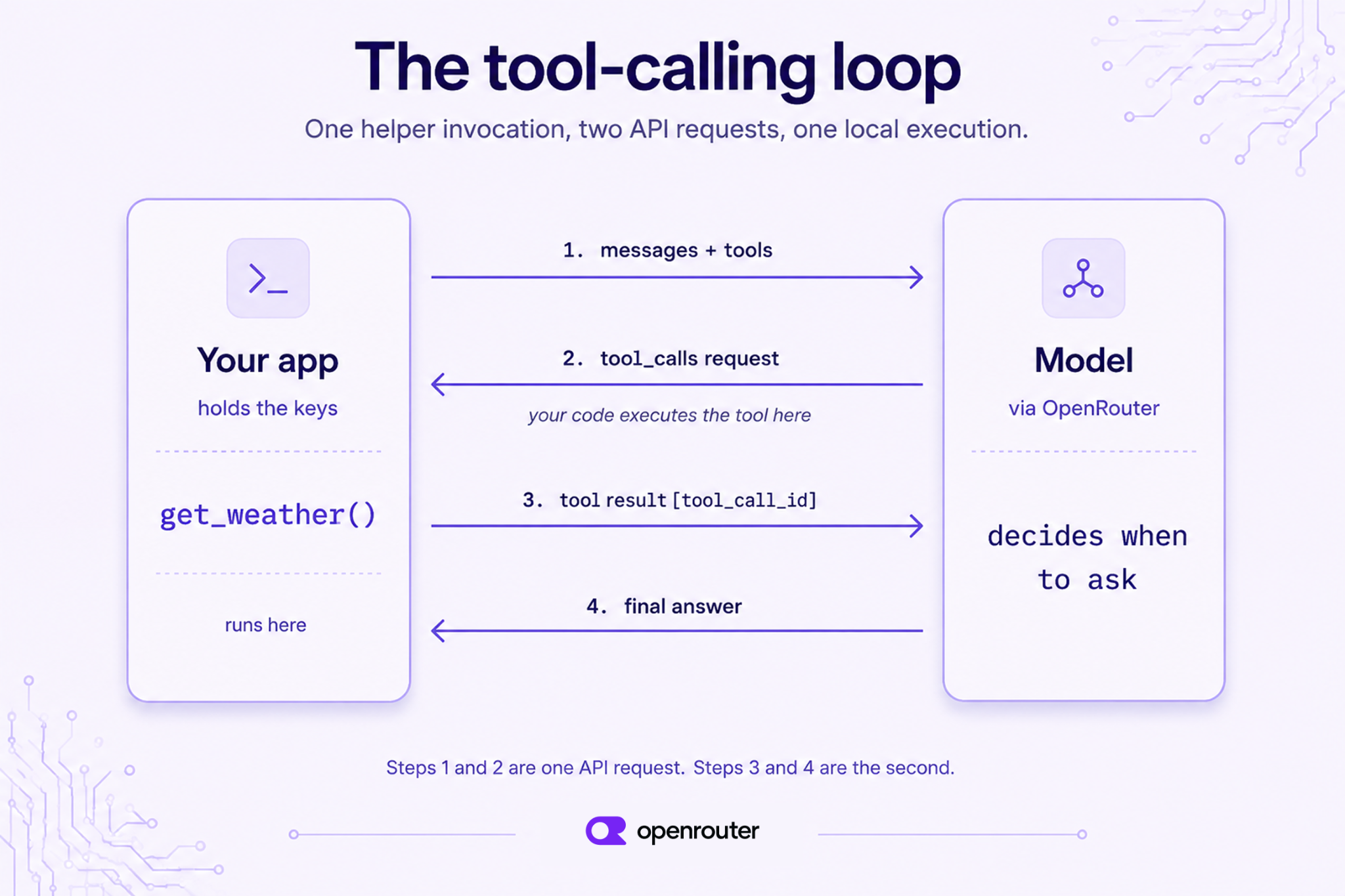
A reliable tool-calling agent loop has four properties: deterministic tool parsing, graceful failure recovery, clear state transitions, and observable execution. Deterministic parsing means the same malformed model output always triggers the same validation error, not an unpredictable crash. Graceful failure recovery means a timeout, rate limit, or bad tool argument degrades the agent instead of killing it. Clear state transitions mean the agent knows whether it is planning, waiting on a tool, retrying, or finished. Observable execution means every tool call, argument, provider response, and retry is logged with a trace ID.
In practice, reliability beats raw model intelligence because production failures are usually not reasoning failures. They are integration failures: a provider returns tool calls in a slightly different schema, a timeout leaves a write operation in an unknown state, or a model hallucinates a tool name that does not exist. A moderately capable model wrapped in a strict loop will outperform a stronger model wrapped in a chaotic one.
The Observe-Plan-Act-Reflect Cycle Explained
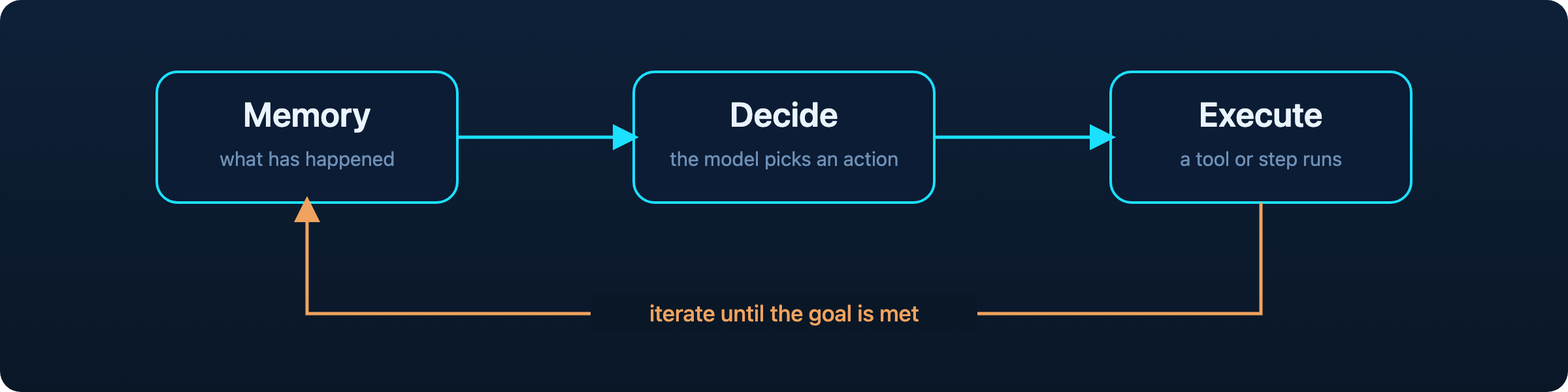
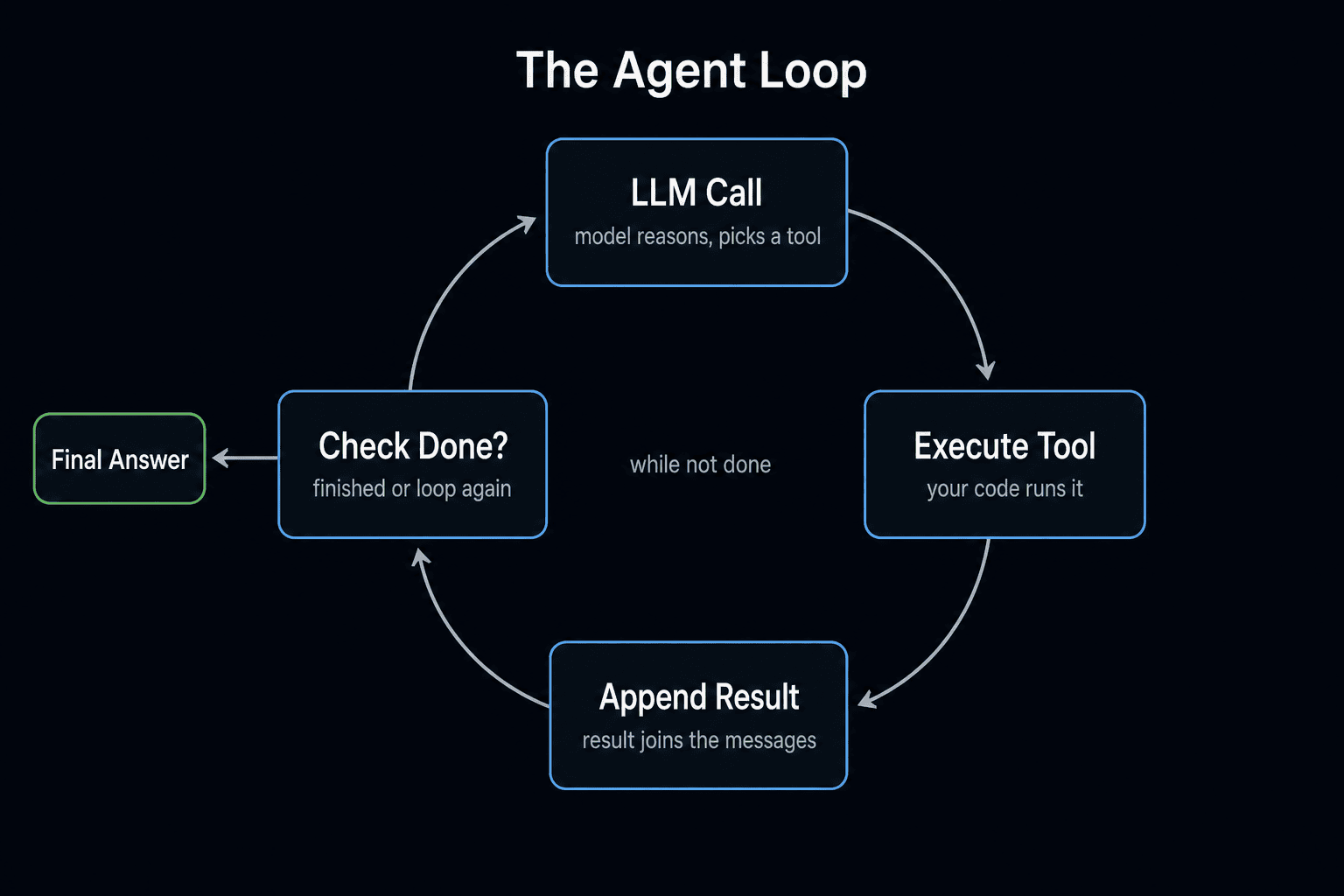
The classic loop stages are observe, plan, act, and reflect. During observe, the agent receives user input, conversation history, and tool results. During plan, the model decides whether to answer directly or call a tool. During act, the system selects the tool, validates arguments, and executes it. During reflect, the agent feeds the result back into the model and decides whether to continue or stop.
Each stage introduces failure points. Observation can be polluted by stale or oversized context. Planning can produce a hallucinated tool. Acting can fail because of provider schema drift, timeouts, or unsafe arguments. Reflection can loop forever if the termination condition is vague. A reliable loop treats every stage as a boundary that needs validation.
Common Failure Modes in OpenRouter-Based Agent Loops
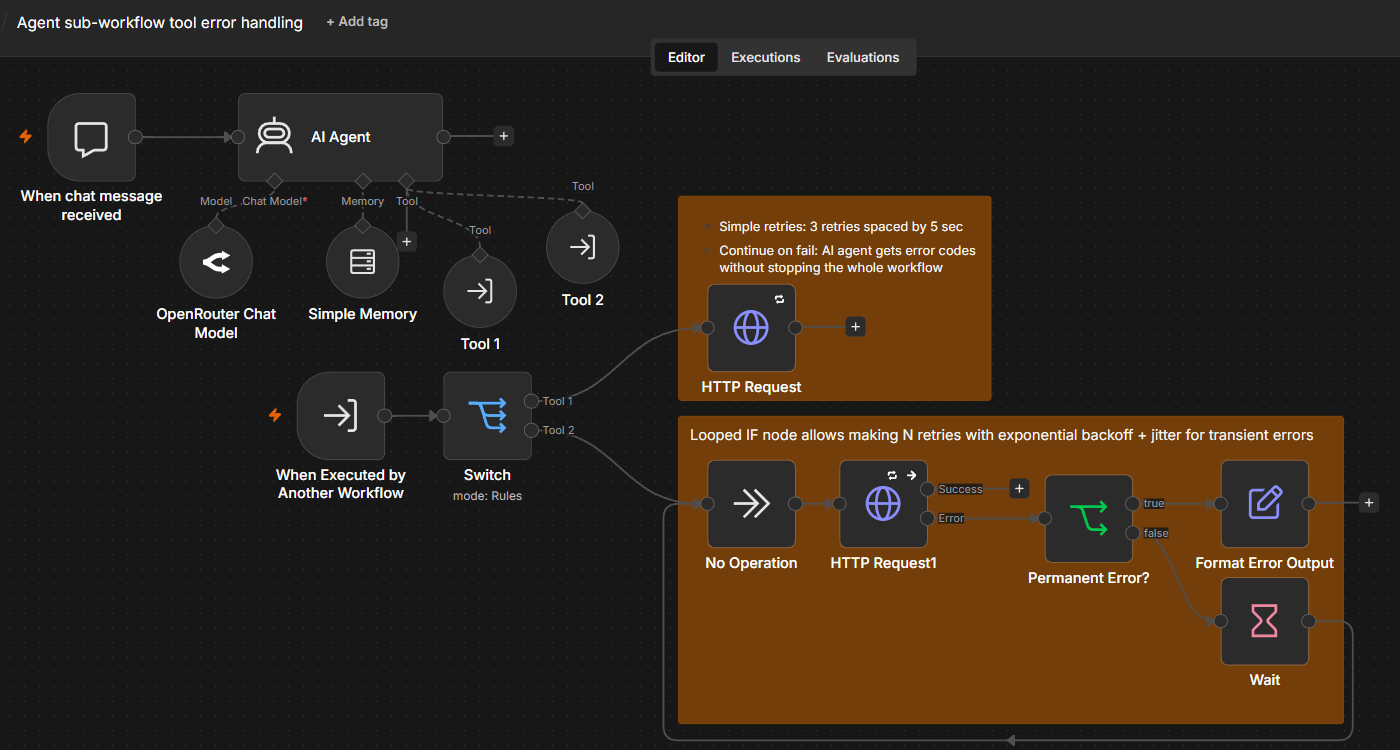
OpenRouter-based agent loops are useful for model flexibility, but they face predictable failure modes. Malformed tool calls happen when a model emits invalid JSON or missing required fields. Provider-specific schema differences appear when one provider represents function calls as tool_calls and another uses a different envelope. Timeouts and rate limits are infrastructure failures, but they become agent failures if the loop has no backoff or fallback. Hallucinated tools occur when the model invents a function that was never declared. Infinite loops happen when the agent keeps calling the same tool without changing state.
Two hidden issues deserve more attention. Schema drift occurs when a tool definition changes in production but the model is still prompted with the old schema. Idempotency gaps occur when a write tool is retried after a timeout without an idempotency key, causing duplicate orders, duplicate emails, or duplicate charges. These are not model bugs. They are loop design bugs.
2. Multi-Provider AI API Strategies for Agent Tool Calls
Why Use a Multi-Provider AI API Instead of Direct SDKs?
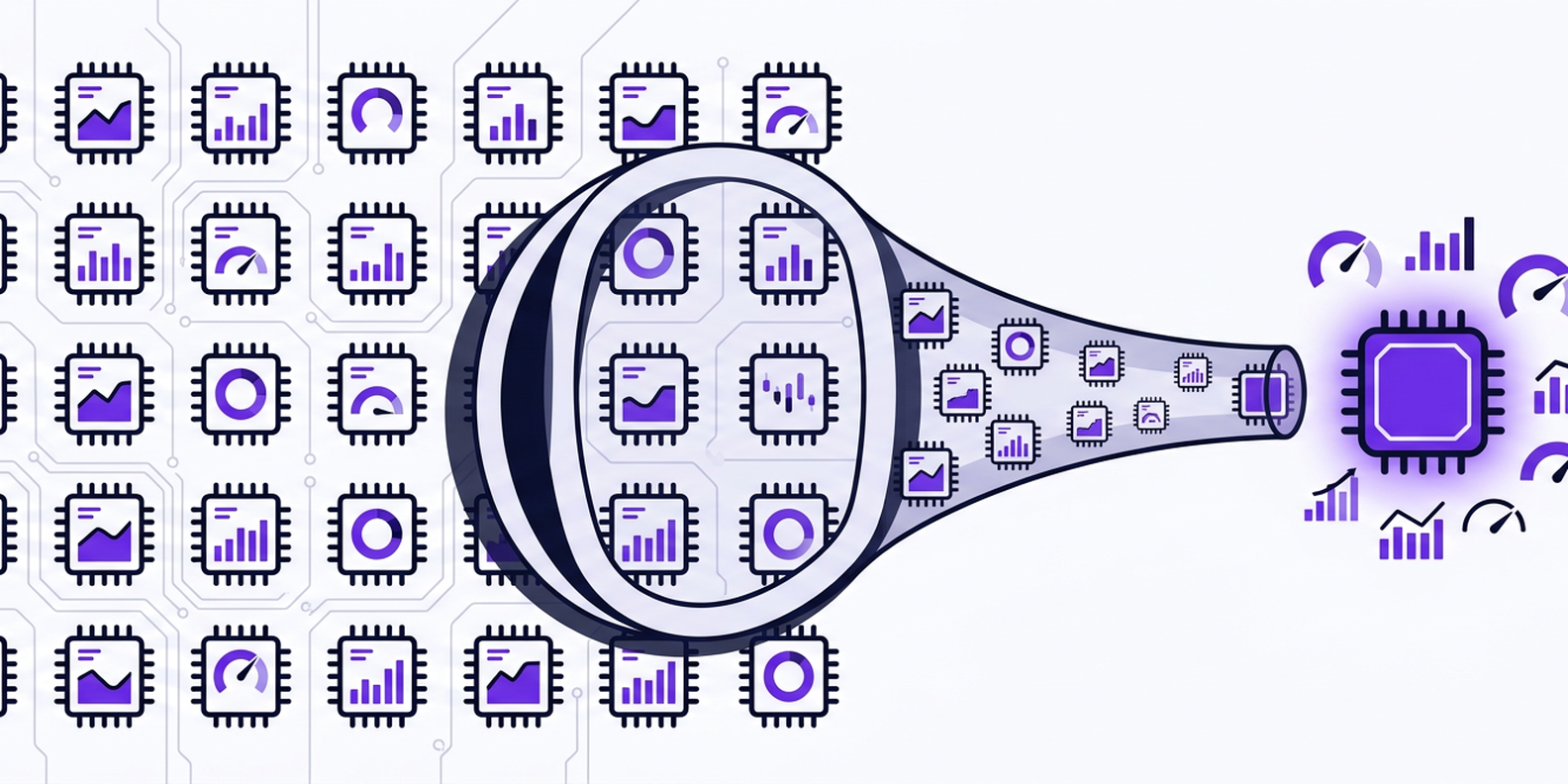
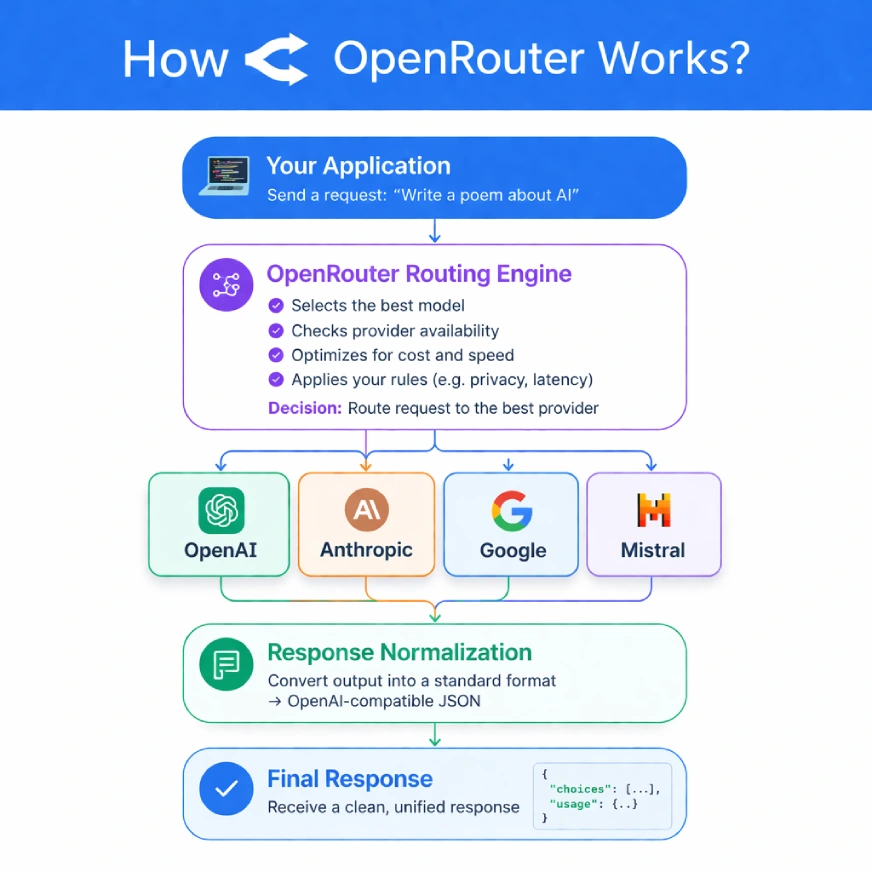
A multi-provider AI API reduces integration overhead by giving developers one request format across many models. Instead of maintaining separate SDKs, authentication flows, retry logic, and schema adapters for OpenAI, Anthropic, Google, and others, teams can centralize routing. The benefits are model flexibility, failover, cost optimization, and faster experimentation.
| Approach | Pros | Cons |
|---|---|---|
| Direct provider SDKs | Maximum control, early access to provider features | High maintenance, duplicated retry logic, harder failover |
| Multi-provider AI API | Unified auth, routing, fallback, cost visibility | Some provider-specific features require escape hatches |
| Self-built gateway | Complete customization | Significant engineering and operational burden |
Direct SDKs are reasonable when you only use one provider and need every provider-specific feature. They become expensive when you need three providers, two fallback paths, and consistent observability.
How OpenRouter Handles Tool Calling Across Models
OpenRouter routes requests across many models through a normalized API. It works well for experimentation, model comparison, and fallback across providers. Its tool-calling support has improved, but reliability still depends on the model and provider behind the route. Some models emit strict JSON; others wrap arguments in prose. Some providers support parallel tool calls; others do not. The routing layer normalizes the request shape, but it cannot fully normalize model behavior.
That means teams using OpenRouter for production agents still need guardrails: schema validation before execution, provider-specific adapters, retry policies, and circuit breakers. The routing layer is not a substitute for a reliable tool-calling agent loop.
Evaluating an OpenRouter Alternative: CCAPI as a Unified AI API for Agents
/filters:no_upscale()/articles/ai-agent-transport-layer/en/resources/199figure-1-1775031602139.jpg)
CCAPI is a unified multimodal AI API gateway that provides access to major AI models from providers like OpenAI, Anthropic, and Google for text, image, audio, and video generation. For teams building custom AI workflows, it offers transparent pricing and zero vendor lock-in, which simplifies model swaps and cost tracking. Instead of rewriting provider logic every time a new model becomes the best option, you can route through CCAPI and keep your agent loop stable.
This matters for tool-calling agents because the loop should not care which provider answered. The loop should care whether the tool call is valid, whether arguments match the schema, and whether the result is trustworthy. CCAPI can act as a unified AI API for agents that need text reasoning, an image generation API, or a video generation API without multiplying integration work. You can review supported models in the model catalog and compare usage costs on the pricing page.
Tradeoffs: Cost, Latency, and Vendor Lock-In in Custom AI Workflows
OpenRouter-style routing and a unified gateway such as CCAPI both reduce provider lock-in, but they optimize for different priorities. OpenRouter is often used for broad model access and quick experimentation. CCAPI emphasizes transparent pricing, multimodal access, and portability for custom AI workflows.
| Factor | OpenRouter-style routing | Unified gateway like CCAPI |
|---|---|---|
| Model flexibility | Broad model marketplace | Curated multi-provider access |
| Failover | Provider routing available | Centralized fallback and routing |
| Pricing transparency | Varies by model and provider | Transparent pricing emphasis |
| Vendor lock-in | Low if abstraction is preserved | Zero vendor lock-in positioning |
| Multimodal support | Depends on routed model | Text, image, audio, video generation |
Latency also varies. A routed request may hit a fast provider for one call and a slower provider for the next. If your agent loop depends on tight timing, measure p50 and p95 latency per provider, not just average latency.
3. Designing Tool Schemas and Contracts for Reliability
Writing Clear JSON Schemas for Tool Calls
Strict JSON schemas reduce ambiguity. Use required fields, enum values, nested objects with explicit properties, and additionalProperties: false when possible. Descriptions should guide the model without becoming essays. For example, a search tool should define query as a string and max_results as an integer with minimum and maximum bounds.
{
  "name": "search_docs",
  "description": "Search internal documentation for a query.",
  "parameters": {
    "type": "object",
    "properties": {
      "query": { "type": "string", "minLength": 2 },
      "max_results": { "type": "integer", "minimum": 1, "maximum": 10 }
    },
    "required": ["query"],
    "additionalProperties": false
  }
}
Clear schemas make validation deterministic. They also make provider adapters easier to write because the contract is explicit.
Handling Provider-Specific Tool Call Formats
Different providers represent tool calls differently. Some return a tool_calls array with function.name and function.arguments. Others may emit structured content blocks. A normalization layer should convert all provider responses into one internal shape before validation.
def normalize_tool_call(raw, provider):
    if provider == "openai_like":
        return {
            "name": raw["function"]["name"],
            "arguments": json.loads(raw["function"]["arguments"]),
            "id": raw["id"],
        }
    if provider == "anthropic_like":
        return {
            "name": raw["name"],
            "arguments": raw["input"],
            "id": raw.get("id"),
        }
    raise UnsupportedProvider(provider)
The adapter runs before execution. Never let provider-specific shapes leak into your tool registry.
Versioning Tools and Preventing Schema Drift
Versioned tool definitions prevent schema drift. Use names like create_order_v2 or include a schema_version field in the tool registry. When a tool changes, keep the old version available until all active agents and prompts have migrated. Backward-compatible changes include adding optional fields. Breaking changes include renaming required fields or changing types.
Schema drift is a hidden source of agent loop failures because the model may still be prompted with an old tool description while the runtime expects a new schema. The result is a validation error that looks like a model mistake but is actually a deployment mismatch.
Validating Inputs Before Execution
Never trust model-generated tool arguments blindly. Validate types, ranges, enums, and required fields before execution. Sanitize strings that will be used in shell commands, SQL queries, or file paths. Reject unknown tools immediately.
def validate_tool_call(call, registry):
    if call["name"] not in registry:
        raise UnknownTool(call["name"])
    tool = registry[call["name"]]
    return tool.schema.validate(call["arguments"])
Runtime validation is the cheapest reliability investment you can make.
4. Step-by-Step: Implementing the Reliable Tool-Calling Agent Loop
Step 1: Initialize State, Tools, and Model Routing
Set up conversation state, a tool registry, model selection rules, and environment variables. Store provider credentials securely. If you use CCAPI, manage API tokens through the token console and top up usage through the top-up page. Define routing rules such as “use cheap model for classification, strong model for synthesis.”
Step 2: Send the Prompt Through a Multi-Provider AI API
Send a normalized request with system prompt, messages, tool declarations, and provider metadata. Include a request ID and retry count.
{
  "model": "auto",
  "messages": [{"role": "user", "content": "Find the latest refund policy."}],
  "tools": [/* tool schemas */],
  "tool_choice": "auto",
  "metadata": {"request_id": "req_abc123", "retry_count": 0}
}
The system prompt should tell the model when to use tools and when to answer directly.
Step 3: Parse and Validate the Tool Call
Parse structured output, verify tool names, validate arguments against the schema, and reject unknown tools. If parsing fails, return a clear error to the model and ask it to retry with valid JSON. If the tool is unknown, do not execute anything.
Step 4: Execute Tools with Timeouts and Idempotency
Execute tools with timeouts, retries, idempotency keys, and sandboxing. Write operations need idempotency keys so a retry does not duplicate side effects.
def execute_tool(tool, args, idempotency_key):
    with timeout(seconds=tool.timeout):
        return tool.run(args, idempotency_key=idempotency_key)
Read operations can often be retried freely. Write operations cannot.
Step 5: Return Results and Continue the Loop
Feed tool output back into the model, update state, and decide whether to call another tool or finalize. Termination conditions should include maximum iterations, maximum tokens, and a clear “final answer” signal.
Step 6: Add Retries, Fallbacks, and Circuit Breakers
Add provider fallback, exponential backoff, circuit breakers, and dead-letter queues. A unified gateway can reduce provider-specific failure handling.
async def call_with_fallback(messages, tools):
    for provider in ROUTE:
        try:
            return await provider.complete(messages, tools)
        except RateLimit:
            continue
        except Timeout:
            continue
    raise AllProvidersFailed()
5. Advanced Techniques for Robust Tool-Calling Agents
Schema-Constrained Decoding and Function Calling Modes
Constrained decoding and JSON mode improve reliability by forcing valid JSON. Strict function calling modes can reduce malformed arguments. However, they do not guarantee semantic correctness. A model can emit valid JSON with the wrong values. Always validate.
Parallel Tool Calls and Dependency Graphs
Parallel tool calls reduce latency when tools are independent. Build a dependency graph so dependent calls wait for prerequisites. Watch for race conditions when two tools update the same state.
State Persistence for Long-Running Custom AI Workflows
Durable state stores, checkpointing, and resumability allow an agent loop to recover after a crash. Store conversation state, tool results, and pending calls. Memory compaction prevents context from growing without bound.
Under the Hood: How Routing and Caching Affect Tool Call Reliability
Provider routing, model fallback, semantic caching, and response reuse affect latency and consistency. Caching deterministic tool results can reduce cost, but caching model outputs across providers can hide provider-specific behavior. Use cache keys that include model, prompt version, and tool schema version.
6. Real-World Implementation and Lessons from Production
Case Study: A Research Assistant on a Multi-Provider AI API
A research assistant searches, summarizes, and cites sources. Provider fallback prevents a single provider outage from breaking research. Tool validation prevents the agent from citing hallucinated URLs. In production, the biggest win was rejecting malformed search arguments before they hit the search API.
Case Study: Customer Support Agent with Unified AI API for Agents
A support agent looks up orders, drafts replies, and escalates. A unified AI API for agents simplifies model swaps and cost tracking. When a cheaper model handled order lookups and a stronger model drafted replies, cost dropped without hurting resolution rate.
What Breaks at Scale: Timeouts, Rate Limits, and Hallucinated Tools
At scale, retry storms amplify provider outages. Inconsistent tool schemas across microservices cause validation errors. Model-specific quirks require adapters. Runaway token usage happens when tool results are fed back without summarization.
Performance Benchmarks and Reliability Metrics
Track success rate, tool-call accuracy, latency percentiles, error budget, and cost per completed task. Benchmark across providers with the same tool suite and prompt version. A reliable tool-calling agent loop should improve these metrics even when the underlying model changes.
7. Security, Safety, and Trust for Tool-Calling Agents
Sandboxing Tool Execution and Least Privilege
Use permission scopes, isolated runtimes, allowlists, and secret management. Tools that write files, send emails, or change databases need narrow permissions. Reduce blast radius with sandboxed execution.
Defending Against Prompt Injection and Tool Misuse
Untrusted input can contain indirect prompt injection. Tool argument tampering can happen if the model is tricked into calling a privileged tool. Use defense layers: validate arguments, filter outputs, and require confirmation for dangerous actions. If your agent uses an MCP server, treat it as a privileged boundary and review the MCP integration carefully.
Auditing, Logging, and Compliance
Use trace IDs, structured logs, audit trails, data retention policies, and redaction. Debug without exposing sensitive data. Log tool names, argument hashes, provider, latency, and outcome.
When to Use OpenRouter vs. CCAPI for Unified AI API for Agents
Use OpenRouter for rapid prototyping and broad model experimentation. Use CCAPI when you need a unified gateway with transparent pricing, multimodal access, and zero vendor lock-in. For enterprise routing, choose the option that gives you the best balance of control, observability, and portability.
8. Testing, Monitoring, and Maintaining the Loop
Unit and Integration Testing Across Providers
Test tool schemas, parsers, validators, and provider adapters. Use contract tests against recorded fixtures. Run integration tests against each provider in staging.
Chaos Testing Provider Outages and Tool Failures
Simulate timeouts, 429s, malformed responses, and partial tool failures. Verify fallback and recovery behavior. Chaos testing catches retry storms before production does.
SLIs, SLOs, and Alerts for a Reliable Tool-Calling Agent Loop
Define service-level indicators: tool success rate, loop completion rate, latency, and cost. Set SLOs and alerts. A drop in tool success rate is often the first sign of schema drift or provider degradation.
Versioning Prompts and Tools Without Breaking Production
Use prompt versioning, canary releases, and backward-compatible tool changes. Always have a rollback plan for agent behavior changes.
9. Optimizing Cost and Performance in Custom AI Workflows
Model Selection by Task Within a Multi-Provider AI API
Route simple tasks to cheaper models and complex reasoning to stronger ones. Tool-calling reliability affects model choice: a cheap model that emits invalid JSON costs more in retries than a slightly more expensive model that follows schemas.
Batching, Caching, and Streaming
Batch independent tool calls, cache deterministic results, and stream final answers. Streaming can complicate tool loops because the model may emit a tool call mid-stream. Buffer tool-call deltas before parsing.
Reducing Token Waste in Tool-Calling Conversations
Trim context, summarize tool results, compress memory, and avoid repeating schemas. Set token budgets for long loops.
Comparing OpenRouter and CCAPI for Cost and Lock-In
Compare pricing models, provider access, multimodal support, and migration effort. CCAPI’s zero vendor lock-in and transparent pricing make it a strong openrouter alternative for teams building custom AI workflows.
10. Deployment and Scaling Patterns
Queues, Backpressure, and Rate Limit Management
Use queues, worker pools, concurrency limits, and adaptive throttling. Prevent provider rate limits from cascading into agent failures.
Rolling Updates and Canary Deployments
Deploy new prompts, tools, or model routes gradually. Monitor reliability metrics before full rollout.
Multi-Region Failover and Provider Redundancy
Design for regional outages and provider degradation. Use health checks, failover routing, and replicated state stores.
Building an OpenRouter Alternative with CCAPI
Teams can use CCAPI as a unified multimodal AI API gateway to build an openrouter alternative with transparent pricing, zero vendor lock-in, and simplified access to major AI models. By combining a strict tool-calling agent loop with centralized routing, validation, retries, and observability, you can move from fragile demos to reliable agents that survive real production traffic.